Track every lease renewal deadline before it slips
Every Monday, WebRun opens FinQuery, scans the full lease portfolio for upcoming renewal and notice deadlines in the next 30, 60, and 90 days, and posts a prioritized tracker to Slack so your team can act well before any window closes.
- No credit card
- Under $0.01 per run
- Cancel anytime
How do I automatically track lease renewal deadlines in FinQuery?
WebRun opens FinQuery every Monday, scans your entire lease portfolio for renewal notice deadlines falling in the next 30, 60, and 90 days, and posts a ranked list to Slack with the lease name, notice deadline, expiry date, and owner. Your team always has a clear, prioritized view of what needs attention.
- No renewal notice window missed across the full portfolio
- Team sees a ranked, owner-tagged deadline list every Monday morning
- Leases past their ideal notice window flagged immediately
Built for corporate real estate teams · lease administrators · accounting managers · CFOs
What does WebRun do on every run?
The exact actions WebRun takes, in order - in plain language, so you can adjust anything.
-
WebRun signs in and gets to work
Opens
app.finquery.comin a real browser with your saved login - no setup, no API keys. -
1
FinQuery - scan portfolio for renewal deadlines
finquery.com How to Automate FinQuery
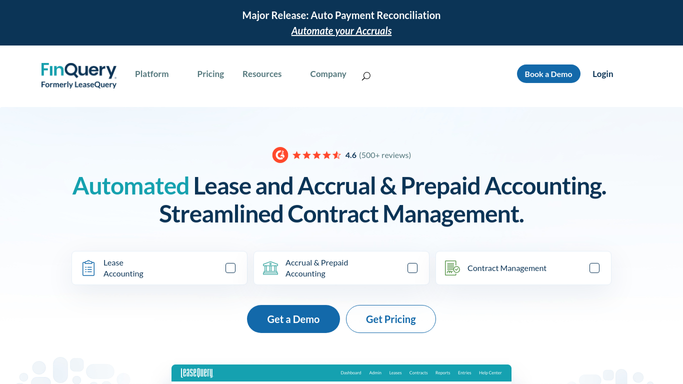
WebRun opens FinQuery to scan portfolio for renewal deadlines. - Open FinQuery and navigate to the lease portfolio dashboard
- Filter leases by renewal notice date within the next 90 days
- Capture lease name, location, landlord, notice deadline, and lease expiry for each
- Sort results into 30-day, 60-day, and 90-day buckets
Done when Every lease with a renewal window closing in the next 90 days is captured with its notice deadline.
-
2
Slack - post prioritized deadline list
slack.com How to Automate Slack

WebRun opens Slack to post prioritized deadline list. - Post a ranked list to the lease-management channel, nearest deadlines first
- Include lease name, notice deadline, expiry date, and assigned owner for each
- Flag any lease already past its ideal notice window with a clear warning
Done when The team has this week's renewal deadline list in Slack.
How is each run configured?
Secure by default
Connect once, stays signed in
WebRun signs in once and keeps each session in a persistent environment, so every run picks up right where it left off.
Every action is checked against this policy before it runs.
Questions, answered
How far ahead does it flag renewal deadlines?
It flags leases with notice windows closing in the next 30, 60, and 90 days, so you always have the full picture and can act on each bucket at the right time.
Will it notify landlords or take any action on the lease?
No. WebRun only reads FinQuery and posts an internal Slack digest. Any landlord notice or renewal decision is left entirely to your team to action.
What if a lease has no renewal option?
It uses the lease expiry date as the critical date and flags it in the same list, so expiring non-renewable leases are never overlooked either.
Related templates
Put this on autopilot.
Turn it on in minutes - or have our team set it up for you.