Spot lease expense variances before they distort your P and L
Every Monday, WebRun opens FinQuery and pulls the current period lease expense totals, including operating, finance, and short-term categories, compares them to the prior period and to budget, flags variances above your threshold, and posts a concise digest to Slack so your finance team can investigate before the period closes.
- No credit card
- Under $0.01 per run
- Cancel anytime
How do I automatically monitor lease expense variances in FinQuery each period?
WebRun pulls your FinQuery lease expense totals every Monday, compares each category to the prior period and to budget, and posts a variance digest to Slack with dollar and percentage differences flagged by line. Your finance team can investigate and correct any outlier before the period closes, with no manual report-building needed.
- Lease expense variances caught the week they appear, not at quarter-end
- Finance team sees a categorized variance table every Monday morning
- No manual expense report build required each period
Built for finance managers · corporate controllers · lease accountants · FP and A teams
What does WebRun do on every run?
The exact actions WebRun takes, in order - in plain language, so you can adjust anything.
-
WebRun signs in and gets to work
Opens
app.finquery.comin a real browser with your saved login - no setup, no API keys. -
1
FinQuery - pull current-period lease expense totals
finquery.com How to Automate FinQuery
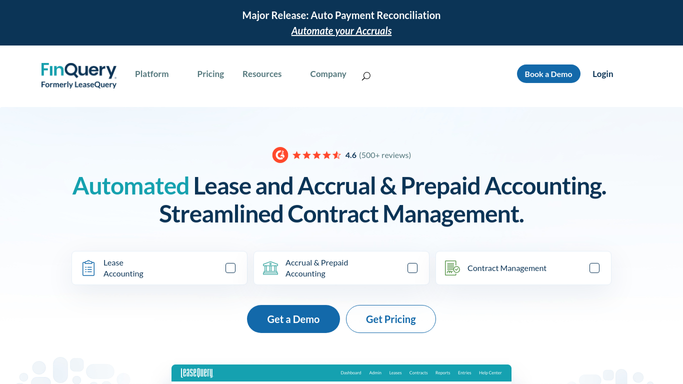
WebRun opens FinQuery to pull current-period lease expense totals. - Open FinQuery and navigate to the lease expense report for the current period
- Pull operating lease expense, finance lease interest expense, and amortization, and short-term lease expense by category
- Compare each line to the prior period and to the budget amount
- Calculate the variance in dollars and as a percentage for each line
- Identify any line where the variance exceeds the threshold you set
Done when All lease expense lines are pulled, compared, and variances are calculated.
-
2
Slack - post variance digest
slack.com How to Automate Slack

WebRun opens Slack to post variance digest. - Post a variance digest to the finance channel with a table of categories, actuals, prior period, budget, and variance
- Highlight any line exceeding the variance threshold in the message
- Note the total portfolio-level lease expense for the period
Done when Finance has a Slack digest with this week's lease expense variances and flags.
How is each run configured?
Secure by default
Connect once, stays signed in
WebRun signs in once and keeps each session in a persistent environment, so every run picks up right where it left off.
Every action is checked against this policy before it runs.
Questions, answered
What variance threshold triggers a flag?
You set the threshold during setup, either as a percentage or a dollar amount. The default is a 10% or 5,000-dollar variance on any single expense line, whichever you prefer.
Does it cover all lease expense categories?
Yes. It pulls operating lease expense, finance lease interest and amortization, short-term lease expense, and variable lease expense as reported in FinQuery for the period.
Will it adjust any entries if a variance is found?
No. WebRun only surfaces the variance for your team to investigate. Any journal entry adjustment or correction is made by your accountants after reviewing the cause.
Related templates
Put this on autopilot.
Turn it on in minutes - or have our team set it up for you.