Thank clients who refer a friend
Every morning, WebRun opens Mangomint, finds new clients who named an existing client as their referral source on their intake form, drafts a personal WhatsApp thank you naming the reward the referring client earned, drafts a matching welcome email for the new client, and leaves both queued for your team to review before anything sends.
- No credit card
- Under $0.01 per run
- Cancel anytime
How do I thank clients who refer a friend to my laser studio?
Each morning, WebRun checks Mangomint for new clients who named an existing client as their referral source. It drafts a personal WhatsApp thank you naming the reward the referring client earned, plus a matching Gmail welcome email for the new client, and leaves both queued unsent so your team can review and send them.
- Referring clients get a timely, specific thank you instead of the reward going unacknowledged
- New clients get a welcome email that already knows who referred them
- Referral credit only goes out once matched to a real existing client record
Built for laser hair removal studios with referral programs · medical spas rewarding client referrals · front desk and client experience teams · studio owners growing word of mouth
What does WebRun do on every run?
The exact actions WebRun takes, in order - in plain language, so you can adjust anything.
-
WebRun signs in and gets to work
Opens
app.mangomint.comin a real browser with your saved login - no setup, no API keys. -
1
Mangomint - find new clients who came from a referral
mangomint.com How to Automate Mangomint
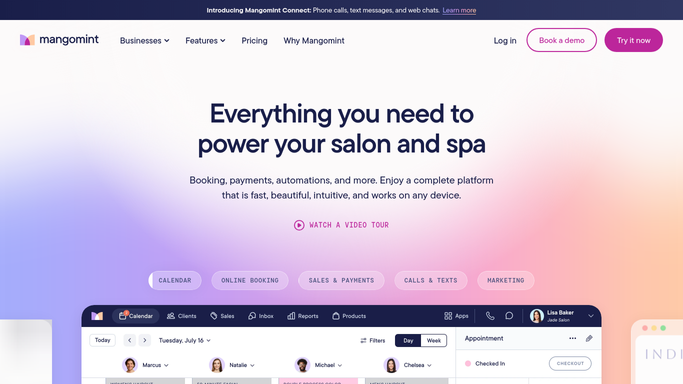
WebRun opens Mangomint to find new clients who came from a referral. - Open Mangomint and pull new clients whose intake form names an existing client as their referral source
- Match the referral name to the existing client's record
- Look up your studio's current referral reward, such as a credit or discount
Done when Every new referral is matched to the referring client and the current reward amount.
-
2
WhatsApp - draft a thank you for the referring client
whatsapp.com How to Automate WhatsApp

WebRun opens WhatsApp to draft a thank you for the referring client. - Draft a personal thank you for the referring client naming their friend and the reward they earned
- Keep the tone warm and specific, not a generic thank you
- Save every message as a draft and leave it unsent for team review
Done when A ready to review thank you draft exists for every referring client.
-
3
Gmail - draft a welcome email for the new client
gmail.com How to Automate Gmail

WebRun opens Gmail to draft a welcome email for the new client. - Draft a welcome email for the new client mentioning who referred them and what to expect at their first session
- Include any intake form steps still outstanding
- Save every email as a draft and leave it unsent for team review
Done when A ready to review welcome email draft exists for every new client who came from a referral.
How is each run configured?
Secure by default
Connect once, stays signed in
WebRun signs in once and keeps each session in a persistent environment, so every run picks up right where it left off.
Every action is checked against this policy before it runs.
Questions, answered
Will it message clients or apply a reward without approval?
No. WebRun only drafts the thank you and welcome messages and leaves them unsent. It also does not touch billing. Your team reviews each draft, confirms the reward, and sends.
How does it know who gets credit for a referral?
It reads the referral source named on the new client's Mangomint intake form and matches it to an existing client record, so credit goes to the right person.
What if the referral source is not an existing client?
It only drafts a thank you when the named referral source matches an existing client record in Mangomint. A referral source that does not match, such as a general mention of social media, is skipped.
Related templates
Put this on autopilot.
Turn it on in minutes - or have our team set it up for you.