Remind customers to clear their udhaar on time
Every morning, WebRun opens Khatabook, finds every customer whose udhaar is due in the next three days, drafts a polite WhatsApp reminder naming the amount and due date, sends it automatically for balances under your set limit, and leaves bigger balances as an unsent draft for you to approve, then logs the whole run to Google Sheets.
- No credit card
- Under $0.01 per run
- Cancel anytime
How do I automatically remind customers to pay their udhaar?
WebRun checks Khatabook every morning for udhaar due within three days, drafts a polite WhatsApp reminder naming the amount and due date, and sends it automatically for balances under your set limit. Larger balances are left as an unsent draft for you to review, and every reminder is logged to Google Sheets so you always know who still owes.
- Customers get a polite nudge before their udhaar is even late
- Small balances are reminded automatically every single morning
- Every reminder sent or drafted is logged so nothing is forgotten
Built for kirana store owners · small retailers · wholesale traders · local shopkeepers
What does WebRun do on every run?
The exact actions WebRun takes, in order - in plain language, so you can adjust anything.
-
WebRun signs in and gets to work
Opens
khatabook.comin a real browser with your saved login - no setup, no API keys. -
1
Khatabook - find udhaar due soon
khatabook.com How to Automate Khatabook
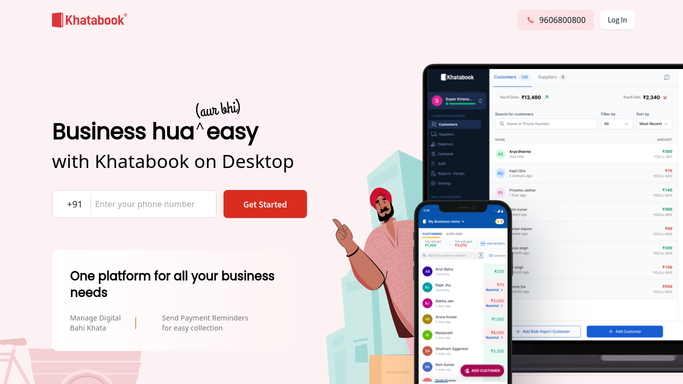
WebRun opens Khatabook to find udhaar due soon. - Open Khatabook and filter customer ledgers to balances due in the next 3 days
- Capture each customer's name, phone number, amount owed, and due date
- Skip any customer already reminded in the last 24 hours
Done when Every udhaar due in the next 3 days is listed with its details.
-
2
WhatsApp - remind customers to pay
whatsapp.com How to Automate WhatsApp

WebRun opens WhatsApp to remind customers to pay. - Draft a polite, on-brand reminder naming the amount and due date for each customer
- Send it automatically for balances under your auto-send limit
- For larger balances, leave the message as an unsent draft for you to review and send
Done when A reminder is sent or drafted for every customer with udhaar due soon.
-
3
Google Sheets - log who was reminded
google.com How to Automate Google Sheets

WebRun opens Google Sheets to log who was reminded. - Log every customer reminded, the amount, and whether it was sent or left as a draft
- Flag the largest balances at the top of the sheet
Done when You have a running log of today's reminders in Google Sheets.
How is each run configured?
Secure by default
Connect once, stays signed in
WebRun signs in once and keeps each session in a persistent environment, so every run picks up right where it left off.
Every action is checked against this policy before it runs.
Questions, answered
Will it message customers without my approval?
Only below the auto-send limit you set. Reminders for larger udhaar balances are drafted in WhatsApp and left unsent for you to review, so nothing big goes out on its own.
What does the reminder message say?
A short, polite nudge naming the customer's udhaar amount and due date. Give WebRun a tone or a sample message and it will match your usual style.
What happens if a customer already paid?
It reads the live balance in Khatabook each morning, so any customer who already cleared their udhaar is skipped automatically.
Related templates
Put this on autopilot.
Turn it on in minutes - or have our team set it up for you.