Get a weekly password health scorecard
Every Monday, WebRun opens Keeper Security, reads the team's security audit score along with the count of weak, reused, and old passwords, logs the figures to Airtable, and writes the weekly trend to a Notion page.
- No credit card
- Under $0.01 per run
- Cancel anytime
How do I track my team's password health score in Keeper Security over time?
WebRun checks Keeper Security's audit report every Monday for the team's overall password health score and the count of weak, reused, or old passwords, logs the figures to Airtable, and updates a weekly trend page in Notion. It only reads the aggregate score, never an actual password, key, or seed.
- Password health trend is visible every Monday, not just at audit time
- Weak and reused password counts are tracked over time in one place
- WebRun never opens, types, or stores an actual password
Built for IT admins · security teams · password manager administrators · MSPs
What does WebRun do on every run?
The exact actions WebRun takes, in order - in plain language, so you can adjust anything.
-
WebRun signs in and gets to work
Opens
keepersecurity.com/vaultin a real browser with your saved login - no setup, no API keys. -
1
Keeper Security - read the security audit score
keepersecurity.com
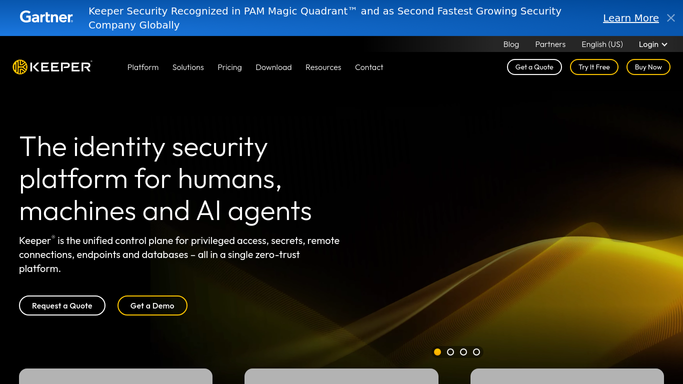
WebRun opens Keeper Security to read the security audit score. - Open the Keeper Security Audit report for the team vault
- Read the overall security score and the counts of weak, reused, and old passwords per user
- Never open, view, or copy an actual password or vault record
Done when This week's security score and password health counts are read.
-
2
Airtable - log this week's figures
airtable.com How to Automate Airtable

WebRun opens Airtable to log this week's figures. - Open the password health tracking base in Airtable
- Log this week's score and counts as a new row
- Keep prior weeks' rows intact so the trend stays visible
Done when This week's figures are logged as a new Airtable row.
-
3
Notion - write the trend page
notion.so How to Automate Notion

WebRun opens Notion to write the trend page. - Open the security scorecard page in Notion
- Update the weekly trend with this run's score and the direction it is moving
- Flag by name only which users need a nudge to update weak or reused passwords
Done when The Notion scorecard page reflects this week's trend.
How is each run configured?
Secure by default
Connect once, stays signed in
WebRun signs in once and keeps each session in a persistent environment, so every run picks up right where it left off.
Every action is checked against this policy before it runs.
Questions, answered
Does WebRun ever see or handle an actual password?
No. WebRun only reads the aggregate security score and counts from Keeper's own audit report. It never opens a vault record, types, or stores a password, key, or seed.
Will WebRun change or reset a weak password?
No. It only flags who has weak, reused, or old passwords. Updating a password is left entirely to that user.
What does a falling score mean?
That more weak, reused, or old passwords have been added since last week. WebRun surfaces the trend, it does not fix any individual password itself.
Related templates
Put this on autopilot.
Turn it on in minutes - or have our team set it up for you.