Reply to every new junk-removal lead within minutes of their inquiry
The moment a new lead submits a quote request or inquiry, WebRun reads their job details in Workiz, drafts a personalized response with a price range estimate and a scheduling link, saves the draft in Gmail for a 60-second owner review, and fires a Slack alert to your team so the hottest leads get a human reply before competitors even see the request.
- No credit card
- Under $0.01 per run
- Cancel anytime
How do I automatically respond to new junk-removal leads within minutes of their inquiry?
WebRun detects every new junk-removal lead in Workiz the moment they submit an inquiry, drafts a personalized response in Gmail with a price range and scheduling link, and fires a Slack alert with a direct link to the draft so you can review and send in under a minute, getting to every lead before competitors do.
- New leads receive a personalized reply draft within minutes of their inquiry
- First-response speed advantage over competitors who reply hours later
- No lead sits unanswered overnight or over the weekend
Built for junk removal business owners · hauling lead managers · junk-removal sales teams · field service operators
What does WebRun do on every run?
The exact actions WebRun takes, in order - in plain language, so you can adjust anything.
-
WebRun signs in and gets to work
Opens
app.workiz.comin a real browser with your saved login - no setup, no API keys. -
1
Workiz - read new lead inquiry details
workiz.com How to Automate Workiz
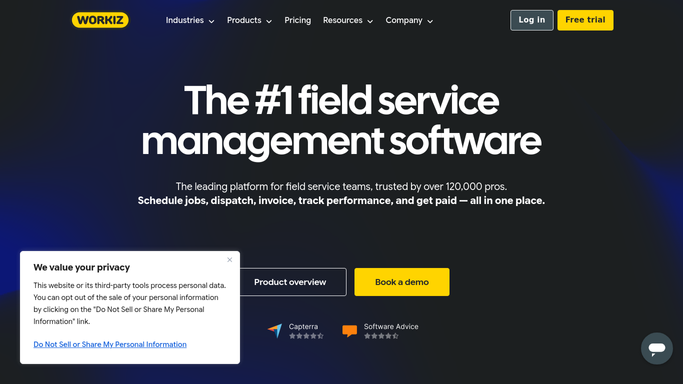
WebRun opens Workiz to read new lead inquiry details. - Detect newly created leads or quote requests in Workiz
- Capture the lead's name, contact email, job type, described items, and location
- Note the inquiry source (web form, phone, or referral) for the response draft
Done when Every new lead has been identified with their inquiry details and contact information.
-
2
Gmail - draft personalized first response
gmail.com How to Automate Gmail

WebRun opens Gmail to draft personalized first response. - Draft a personalized first-response email addressed to the lead by name
- Include a brief acknowledgment of their specific items or job type, a ballpark price range, and a scheduling link
- Save the draft unsent in Gmail for owner review, targeting a 60-second review window before sending
Done when A personalized first-response draft exists in Gmail for every new lead.
-
3
Slack - alert team to new hot lead
slack.com How to Automate Slack

WebRun opens Slack to alert team to new hot lead. - Post an instant alert to your sales or ops Slack channel with the lead name, job type, and contact details
- Include a direct link to the draft email in Gmail so the owner can review and send in seconds
- Flag high-value inquiries (large items or multi-room cleanouts) at the top
Done when Team has an instant Slack alert for every new lead with a link to the ready draft.
How is each run configured?
Secure by default
Connect once, stays signed in
WebRun signs in once and keeps each session in a persistent environment, so every run picks up right where it left off.
Every action is checked against this policy before it runs.
Questions, answered
Does it send the response to the lead automatically?
No. WebRun drafts the reply in Gmail and leaves it unsent. You get a Slack alert with a direct link to the draft so you can review and send in under a minute, keeping you in control of every first impression.
How does it estimate a price range without seeing the items?
It uses the job type, described items, and location the lead provided to generate a realistic ballpark range based on your standard pricing. You set your rate guidelines once during setup.
What if the same person submits multiple inquiries?
It detects duplicate lead emails in Workiz and consolidates them so you get one draft for the contact rather than multiple, avoiding a confusing multi-email response to the same person.
Related templates
Put this on autopilot.
Turn it on in minutes - or have our team set it up for you.