Alert your team when irrigation parts need reordering
Every Monday, WebRun opens Kickserv and reads parts and expenses logged on jobs completed in the past week, tallies usage by part type, compares it against your reorder thresholds in Google Sheets, and posts a prioritized reorder alert to Slack so you never run short on heads, valves, or controllers mid-job.
- No credit card
- Under $0.01 per run
- Cancel anytime
How do I get automatic reorder alerts for irrigation parts based on job usage?
WebRun reads every completed Kickserv job each Monday to tally parts usage for the week, then compares the totals against your reorder thresholds in Google Sheets. It posts a prioritized reorder alert to Slack listing which irrigation parts need replenishing before they run out, ranked by depletion level.
- Parts running low are flagged every Monday before the week's jobs start
- No purchase order is placed without team review of the Slack alert
- Google Sheets inventory tracker shows running stock levels over time
Built for irrigation contractors · sprinkler system service teams · field service supply managers · landscape irrigation businesses
What does WebRun do on every run?
The exact actions WebRun takes, in order - in plain language, so you can adjust anything.
-
WebRun signs in and gets to work
Opens
app.kickserv.comin a real browser with your saved login - no setup, no API keys. -
1
Kickserv - read parts used on completed jobs this week
kickserv.com How to Automate Kickserv
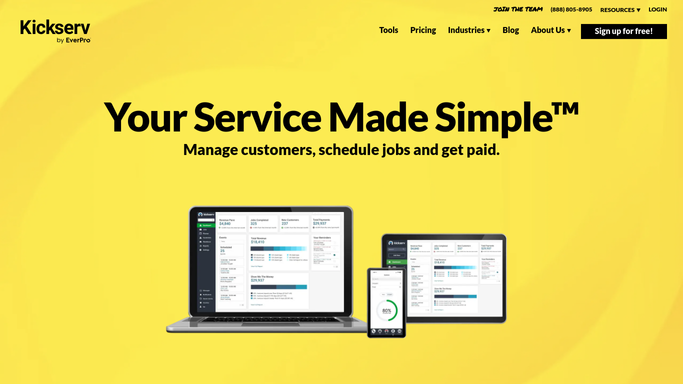
WebRun opens Kickserv to read parts used on completed jobs this week. - Open Kickserv and filter completed jobs from the past 7 days
- Read the expenses and line items to extract parts and materials used on each job
- Tally usage by part type across all completed jobs this week
Done when This week's total parts usage is tallied by part type from Kickserv job records.
-
2
Google Sheets - compare usage against reorder thresholds
google.com How to Automate Google Sheets

WebRun opens Google Sheets to compare usage against reorder thresholds. - Open the parts inventory and reorder threshold sheet
- Compare this week's usage against the minimum stock level for each part
- Flag any part where estimated remaining stock falls below the reorder threshold
Done when Parts below their reorder threshold are identified and flagged for ordering.
-
3
Slack - post prioritized reorder alert to team
slack.com How to Automate Slack

WebRun opens Slack to post prioritized reorder alert to team. - Post a prioritized reorder list to your Slack supply channel, most-depleted first
- Include the part name, estimated remaining quantity, and suggested order quantity
- Flag critical parts needed for jobs already on next week's schedule
Done when Your team has a prioritized reorder alert in Slack before the week's supply run.
How is each run configured?
Secure by default
Connect once, stays signed in
WebRun signs in once and keeps each session in a persistent environment, so every run picks up right where it left off.
Every action is checked against this policy before it runs.
Questions, answered
Does it place purchase orders automatically?
No. WebRun posts a reorder alert to Slack for your team to act on. It never places an order or charges anything on its own - all purchasing decisions stay with you.
How do I set reorder thresholds for each part?
You maintain a simple Google Sheets table with each part name and its minimum stock level. WebRun reads this sheet each Monday to compare against actual usage.
What if a part was used on a job but not logged in Kickserv?
The alert is only as accurate as your Kickserv job records. Encourage technicians to log all parts on the job before closing it so the usage totals reflect reality.
Related templates
Put this on autopilot.
Turn it on in minutes - or have our team set it up for you.