Catch the emails you sent that nobody answered
Every morning, WebRun signs into Inbox.com, goes through the messages you sent over the past two weeks, keeps the threads with no reply, drafts a short follow-up in Gmail for each, and books a Google Calendar block to review and send them.
- No credit card
- Under $0.01 per run
- Cancel anytime
How do I find the emails I sent that never got a reply?
WebRun signs into Inbox.com every morning and reads the mail you sent in the past two weeks, keeping the threads that came back with no reply. It drafts a polite follow-up in Gmail for each, oldest first, and books Google Calendar time for you to review and send them.
- Silent threads surface daily instead of being remembered by luck
- Each follow-up is drafted and ready, oldest first
- Nothing is sent to a recipient without you pressing send
Built for founders · consultants · salespeople · freelancers
What does WebRun do on every run?
The exact actions WebRun takes, in order - in plain language, so you can adjust anything.
-
WebRun signs in and gets to work
Opens
www.inbox.comin a real browser with your saved login - no setup, no API keys. -
1
Inbox.com - find sent mail with no reply
inbox.com
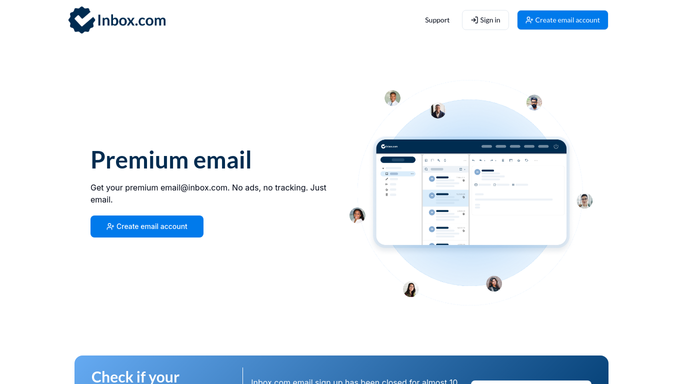
WebRun opens Inbox.com to find sent mail with no reply. - Sign into Inbox.com and read the messages you sent in the last fourteen days
- Match each against its thread and keep only the ones with no reply back
- Capture the recipient, the subject, the date sent, and how many days it has been silent
Done when Every unanswered sent message is listed with its age.
-
2
Gmail - draft a follow-up for each
gmail.com How to Automate Gmail

WebRun opens Gmail to draft a follow-up for each. - Draft a short, polite follow-up for each unanswered thread, oldest first
- Reference the original subject and the date it was sent
- Leave every message in drafts. WebRun never sends a follow-up on its own
Done when A follow-up draft is waiting for each unanswered thread.
-
3
Google Calendar - book time to send them
calendar.google.com How to Automate Google Calendar

WebRun opens Google Calendar to book time to send them. - Book a short block today when there are drafts waiting
- Name the count of follow-ups and list the recipients in the description
- Skip the block on mornings when nothing is outstanding
Done when Time is held to review and send, or skipped when there is nothing to chase.
How is each run configured?
Secure by default
Connect once, stays signed in
WebRun signs in once and keeps each session in a persistent environment, so every run picks up right where it left off.
Every action is checked against this policy before it runs.
Questions, answered
Will it send follow-ups without me?
No. Every follow-up sits in your Gmail drafts until you read it and press send. WebRun writes the chase list and the drafts, and stops there.
How far back does it look?
Fourteen days of sent mail by default, so a thread has had a fair chance to come back before it lands on the chase list. Set a longer or shorter window if you prefer.
What if someone replied outside the thread?
WebRun reads the thread each morning, so a reply that arrives later drops that message off the next list and the unsent draft can simply be discarded.
Related templates
Put this on autopilot.
Turn it on in minutes - or have our team set it up for you.