Get a weekly utilization scorecard from Hub Planner
Every Monday, WebRun opens Hub Planner, checks booked hours against capacity for each resource last week, updates their card on the Trello staffing board, and sends the resource manager a WhatsApp utilization scorecard.
- No credit card
- Under $0.01 per run
- Cancel anytime
How do I get a weekly resource utilization scorecard from Hub Planner?
WebRun checks Hub Planner every Monday for each resource's booked hours against capacity last week, updates their card on the Trello staffing board with the current utilization percent, and sends the resource manager a WhatsApp summary of who's under-utilized or overbooked. Staffing gaps show up in one weekly scorecard instead of a manual review.
- Under and over booked resources both surface in one weekly check
- The staffing board stays current without a manual update
- Resource managers get just the names that need attention
Built for resource managers · agency operations · staffing coordinators · project management offices
What does WebRun do on every run?
The exact actions WebRun takes, in order - in plain language, so you can adjust anything.
-
WebRun signs in and gets to work
Opens
hubplanner.comin a real browser with your saved login - no setup, no API keys. -
1
Hub Planner - check utilization by resource
hubplanner.com
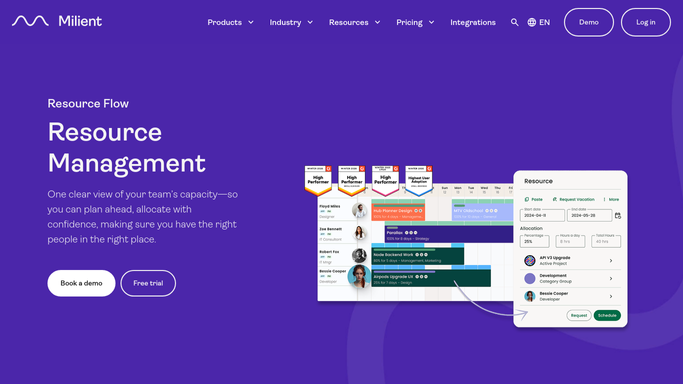
WebRun opens Hub Planner to check utilization by resource. - Open Hub Planner and check booked hours against capacity for each resource last week
- Note utilization percent per person
- Flag anyone under 70 percent or over 100 percent
Done when Every resource's utilization for last week is captured.
-
2
Trello - update the staffing board
trello.com How to Automate Trello

WebRun opens Trello to update the staffing board. - Update each resource's card on the staffing board with last week's utilization percent
- Move under-utilized resources to the available column
- Move overbooked resources to the at-risk column
Done when The staffing board reflects everyone's current utilization.
-
3
WhatsApp - send the scorecard summary
whatsapp.com How to Automate WhatsApp

WebRun opens WhatsApp to send the scorecard summary. - Send the resource manager a summary of who's under-utilized and who's overbooked
- Include the percent for each flagged person
- Keep the message to the names that need attention
Done when The resource manager has this week's utilization scorecard on WhatsApp.
How is each run configured?
Secure by default
Connect once, stays signed in
WebRun signs in once and keeps each session in a persistent environment, so every run picks up right where it left off.
Every action is checked against this policy before it runs.
Questions, answered
Will it change anyone's bookings or schedule?
No. WebRun only reads booked hours against capacity to build the scorecard. It never creates or edits a booking.
What counts as under-utilized or overbooked?
Under 70 percent of capacity is flagged as available, and over 100 percent is flagged as overbooked, so both ends of the range get attention.
Does the Trello board update every resource, or just flagged ones?
Every resource's card gets this week's utilization percent, but only the flagged ones move columns, so the board reflects everyone at a glance.
Related templates
Put this on autopilot.
Turn it on in minutes - or have our team set it up for you.