Keep every employee document current
Each morning, WebRun opens Rippling, finds employee documents and certifications expiring in the next 30 days, drafts a personal reminder email to each employee in Gmail, leaves it unsent for HR to review, and posts HR a Slack digest of what is lapsing and when.
- No credit card
- Under $0.01 per run
- Cancel anytime
How do I get reminded when employee documents are expiring?
Each morning, WebRun checks Rippling for employee documents and certifications expiring within 30 days, capturing the type, the person, and the date. It drafts a friendly reminder to each employee in Gmail for HR to review, and posts HR a Slack digest ordered by date, so no certification or work authorization lapses unnoticed.
- Expiring certifications get flagged 30 days out
- Employees get a personal reminder, drafted and reviewed by HR
- Compliance-critical documents never lapse unnoticed
Built for HR teams · people operations · compliance managers · operations
What does WebRun do on every run?
The exact actions WebRun takes, in order - in plain language, so you can adjust anything.
-
WebRun signs in and gets to work
Opens
app.rippling.comin a real browser with your saved login - no setup, no API keys. -
1
Rippling - find expiring documents
rippling.com
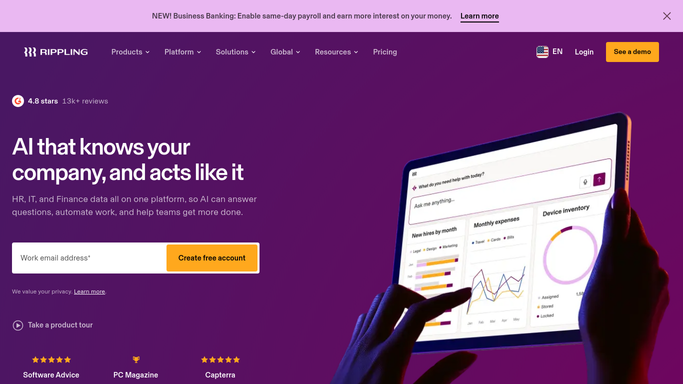
WebRun opens Rippling to find expiring documents. - Open Rippling and review employee documents and certifications
- Capture any expiring in the next 30 days: type, employee, and date
- Note the manager and whether a renewal is already on file
Done when Every document expiring in the window has been captured with its owner.
-
2
Gmail - draft employee reminders
gmail.com How to Automate Gmail

WebRun drafts a reminder for each affected employee. - Draft a friendly reminder to each employee about their expiring document
- Say which document, when it lapses, and how to renew it
- Leave every email as a draft for HR to review. Never send automatically
Done when A reminder draft is ready for each affected employee.
-
3
Slack - post the HR digest
slack.com How to Automate Slack

WebRun posts the document-expiry digest to HR in Slack. - Post HR a digest of documents lapsing, soonest first
- Group by team and flag anything compliance-critical at the top
- Name the employee and manager so follow-up is clear
Done when HR has the document-expiry digest in Slack.
How is each run configured?
Secure by default
Connect once, stays signed in
WebRun signs in once and keeps each session in a persistent environment, so every run picks up right where it left off.
Every action is checked against this policy before it runs.
Questions, answered
Will it email employees on its own?
No. Each reminder is left as a Gmail draft for HR to review and send. WebRun finds what is expiring and writes the first draft. A person decides what actually goes out.
What documents can it track?
Anything stored in Rippling with an expiry date: certifications, licenses, work authorization, training, and similar. It captures the type, the employee, and when it lapses.
How far ahead does it warn?
By default it looks 30 days out, so employees and HR have time to renew before a document lapses. Compliance-critical items are flagged to the top of the digest.
Related templates
Put this on autopilot.
Turn it on in minutes - or have our team set it up for you.