Run your new-hire onboarding checklist automatically
Every morning, WebRun checks BambooHR for employees starting today or this week, opens their Notion onboarding page and marks off completed checklist items, posts a personalised welcome message to Slack, and sends the HR team a status update on every new hire's progress.
- No credit card
- Under $0.01 per run
- Cancel anytime
How can I automatically run a new-hire onboarding checklist for every employee?
Every morning, WebRun checks BambooHR for employees starting today or this week, marks off completed checklist items on their Notion onboarding page, posts a personalised welcome message to Slack, and sends the HR team a status update on every new hire's progress - so nothing falls through the cracks.
- Every new hire's checklist is tracked and updated automatically from day one
- HR gets a daily progress update without chasing each department manually
- New employees receive a personalised welcome without HR writing it each time
Built for HR teams · people operations · office managers · small business owners
What does WebRun do on every run?
The exact actions WebRun takes, in order - in plain language, so you can adjust anything.
-
WebRun signs in and gets to work
Opens
app.bamboohr.comin a real browser with your saved login - no setup, no API keys. -
1
BambooHR - check for new starters and their details
bamboohr.com
WebRun opens BambooHR to check for new starters and their details. - Open BambooHR and check for employees with a start date of today or within the next 3 days
- Capture each new hire's name, department, manager, role, and personal email
- Check which onboarding tasks have already been completed in BambooHR
Done when All upcoming new starters are identified with their details and current onboarding progress.
-
2
Notion - update onboarding checklist progress
notion.so How to Automate Notion
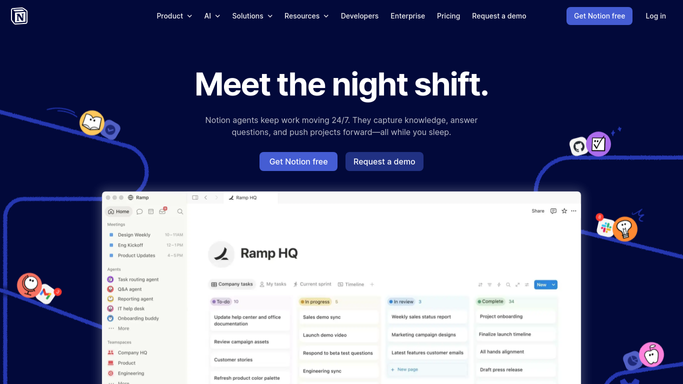
WebRun opens Notion to update onboarding checklist progress. - Open the employee's Notion onboarding page (or create one from the template)
- Tick off checklist items that BambooHR confirms are complete
- Add a note for any items that are still outstanding and who owns them
Done when Each new hire's Notion onboarding page is updated with current progress.
-
3
Slack - welcome new hire and alert HR team
slack.com How to Automate Slack

WebRun opens Slack to welcome new hire and alert HR team. - Post a warm welcome message to the #welcome or #general channel for each person starting today
- Send the HR team a private summary of all new starters this week and their outstanding onboarding items
Done when New hires are welcomed publicly and HR has a private progress update.
How is each run configured?
Secure by default
Connect once, stays signed in
WebRun signs in once and keeps each session in a persistent environment, so every run picks up right where it left off.
Every action is checked against this policy before it runs.
Questions, answered
Will it send the welcome Slack message without my approval?
The welcome message to the team channel posts automatically since it is low-risk. The HR summary is also auto-sent. You can switch to draft-mode for either if you prefer to review first.
What if a new hire's start is delayed last minute?
WebRun reads the start date from BambooHR each morning, so if the date is updated, it picks up the change and skips that person until their new start date.
Can it trigger account provisioning in other tools?
Yes - additional steps (e.g. creating a Google Workspace account or inviting to GitHub) can be added to the plan for any tool WebRun can access.
Related templates
Put this on autopilot.
Turn it on in minutes - or have our team set it up for you.