Flag late-fee waiver requests for board review
When a late-fee waiver request is received, WebRun opens PayHOA to pull the requesting homeowner's full payment history, calculates their on-time payment rate and prior waiver history, logs a complete case summary to the Google Sheets board waiver review list, and posts a Slack alert to the management channel so the board can review it at the next meeting.
- No credit card
- Under $0.01 per run
- Cancel anytime
How do I automatically review and organize HOA late-fee waiver requests for the board?
When a late-fee waiver request arrives, WebRun opens PayHOA to pull the homeowner's 12-month payment history and prior waiver record, then logs a complete case summary to the Google Sheets board waiver review list. A Slack alert notifies the management team so the board can review and decide at the next meeting.
- Every waiver request lands in the board review list with full payment history attached
- The board has the data they need to decide each case without asking the manager to pull records manually
- Prior waivers are surfaced automatically so repeat requests are easy to identify
Built for HOA management companies · community association managers · HOA boards · property managers
What does WebRun do on every run?
The exact actions WebRun takes, in order - in plain language, so you can adjust anything.
-
WebRun signs in and gets to work
Opens
www.payhoa.comin a real browser with your saved login - no setup, no API keys. -
1
PayHOA - pull homeowner payment history
payhoa.com
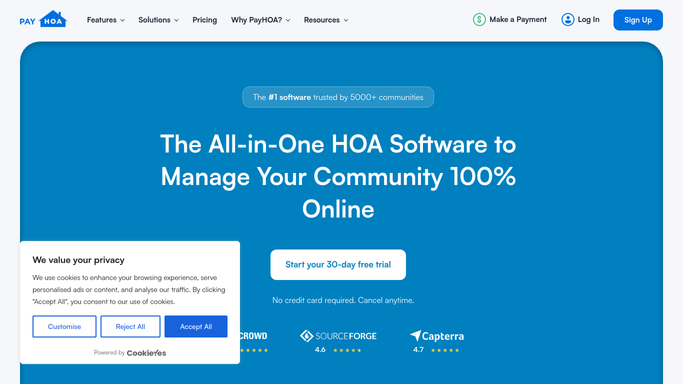
WebRun opens PayHOA to pull homeowner payment history. - Open PayHOA and navigate to the requesting homeowner's account
- Pull their full assessment payment history: on-time payments, late payments, and dates
- Calculate their on-time payment percentage over the past 12 months
- Check for any prior late-fee waivers already granted to this owner
- Note the current outstanding balance and the specific fee(s) being disputed
Done when The homeowner's payment record and waiver history are fully documented.
-
2
Google Sheets - log case summary to waiver review list
google.com How to Automate Google Sheets

WebRun opens Google Sheets to log case summary to waiver review list. - Open the board waiver review list
- Add a new row for this request with: owner name, unit, fee amount, date requested, on-time payment rate, prior waivers granted, and current balance
- Include a brief summary of the payment history pattern to give the board context
- Flag the entry as pending board decision at the next meeting
Done when The waiver request is logged in the board review list with a complete case summary.
-
3
Slack - alert management channel
slack.com How to Automate Slack

WebRun opens Slack to alert management channel. - Post an alert to the management Slack channel noting a new waiver request has been added to the board review list
- Include the owner name, unit, fee amount, and a link to the waiver review sheet
- Note the next board meeting date so the manager knows the decision deadline
Done when The management team has a Slack alert linking to the new waiver case in the review list.
How is each run configured?
Secure by default
Connect once, stays signed in
WebRun signs in once and keeps each session in a persistent environment, so every run picks up right where it left off.
Every action is checked against this policy before it runs.
Questions, answered
Does WebRun approve or deny waiver requests automatically?
No. WebRun only gathers the facts and adds the case to the board review list. The board makes every waiver decision. Approving or denying a fee waiver is a governance action that requires a board vote or manager discretion.
What payment history does it include in the case summary?
It pulls the homeowner's assessment payment record from PayHOA for the past 12 months: number of on-time vs. late payments, any prior fee waivers already granted, and the current outstanding balance.
How does the board know a new waiver request is waiting?
WebRun posts a Slack alert to the management channel as soon as the case is logged, and the manager can add it to the board meeting agenda. The waiver review sheet keeps all pending cases in one place for the next meeting.
Related templates
Put this on autopilot.
Turn it on in minutes - or have our team set it up for you.