Assemble the monthly board meeting packet
Five days before the scheduled board meeting, WebRun opens PayHOA to pull the latest financial summary, reads the open violations, work orders, and ARC items from the tracker sheets, compiles the full board packet outline into a Google Sheets document, and posts a Slack alert to the manager that the draft packet is ready for review and finalization.
- No credit card
- Under $0.01 per run
- Cancel anytime
How do I automatically prepare the monthly HOA board meeting packet?
Five days before the board meeting, WebRun opens PayHOA for the financial summary, reads open violations, work orders, and ARC items from the tracker sheets, and populates a Google Sheets board packet outline. The manager gets a Slack alert linking to the draft, then reviews and finalizes before distribution.
- Board packets are drafted days early instead of the night before the meeting
- Financial and operational data are pulled automatically, reducing manual copy-paste
- Managers get a clear checklist of what still needs attention before the packet is final
Built for HOA management companies · community association managers · HOA board coordinators · property managers
What does WebRun do on every run?
The exact actions WebRun takes, in order - in plain language, so you can adjust anything.
-
WebRun signs in and gets to work
Opens
www.payhoa.comin a real browser with your saved login - no setup, no API keys. -
1
PayHOA - pull financial summary
payhoa.com
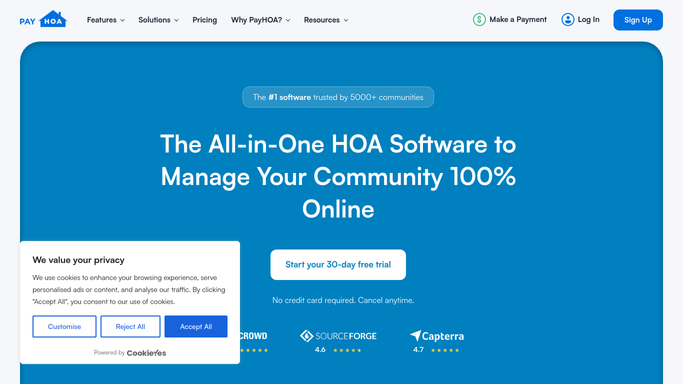
WebRun opens PayHOA to pull financial summary. - Open PayHOA and navigate to the Financial Reports section
- Pull the current month income statement, balance sheet, and budget-vs-actual summary
- Capture total assessments collected, outstanding balances, operating expenses, and reserve fund balance
- Note any vendor invoices pending board approval
Done when All key financial figures for the period are captured and ready to include in the packet.
-
2
Google Sheets - compile packet outline
google.com How to Automate Google Sheets

WebRun opens Google Sheets to compile packet outline. - Open the board packet template sheet for this month
- Populate the Financials section with the figures pulled from PayHOA
- Pull open violation counts and statuses from the violations tracker tab
- Pull open and recently completed work orders from the work order tracker tab
- Pull pending and recently decided ARC requests from the ARC tracker tab
- Add a management report section with a summary of notable issues and items requiring board vote
Done when The board packet outline sheet is fully populated with this month's data, ready for the manager to add narrative and attachments.
-
3
Slack - alert manager the draft is ready
slack.com How to Automate Slack

WebRun opens Slack to alert manager the draft is ready. - Post a Slack message to the management channel with a link to the draft packet sheet
- Include a checklist of any items that still need manager input before the packet is final
- Note the scheduled board meeting date so the manager knows the deadline
Done when The manager has a Slack alert linking to the draft packet and a list of any remaining open items.
How is each run configured?
Secure by default
Connect once, stays signed in
WebRun signs in once and keeps each session in a persistent environment, so every run picks up right where it left off.
Every action is checked against this policy before it runs.
Questions, answered
Does it send the packet to board members automatically?
No. WebRun compiles the data into a Google Sheets draft and alerts the manager in Slack. The manager reviews, adds narrative, and distributes the final packet. Nothing goes to the board until the manager approves and sends it.
Which financial reports does it pull from PayHOA?
It pulls the income statement, balance sheet, and budget-vs-actual summary for the current period. You can add or remove specific reports at setup by updating the configuration.
What if the board meeting date changes?
You control the trigger date in WebRun's schedule. Update the meeting date there and the pre-meeting run will fire on the new schedule automatically.
Related templates
Put this on autopilot.
Turn it on in minutes - or have our team set it up for you.