Backfill cancelled slots from your hearing test waitlist
Every few minutes, WebRun opens Auditdata Manage, spots newly cancelled or freed appointments, matches each open slot to the best fitting patient on the waitlist, drafts an offer text in Twilio for staff to approve, and posts the front desk a Slack heads up so gaps get filled quickly.
- No credit card
- Under $0.01 per run
- Cancel anytime
How do I fill cancelled hearing test slots from my waitlist automatically?
WebRun watches Auditdata Manage every few minutes for cancelled or freed appointments and matches each open slot to the best fitting waitlist patient. It drafts an offer text in Twilio and posts the front desk a Slack heads up, so staff approve every offer and cancelled slots get backfilled before they go to waste.
- Cancelled slots get backfilled within minutes instead of sitting empty
- Every waitlist offer is reviewed by staff before it is sent
- Clinician chairs stay full so revenue is not lost to last minute gaps
Built for hearing aid clinics · audiology practices · front desk teams · multi location hearing centers
What does WebRun do on every run?
The exact actions WebRun takes, in order - in plain language, so you can adjust anything.
-
WebRun signs in and gets to work
Opens
www.auditdata.comin a real browser with your saved login - no setup, no API keys. -
1
Auditdata Manage - match cancellations to the waitlist
auditdata.com How to Automate Auditdata Manage
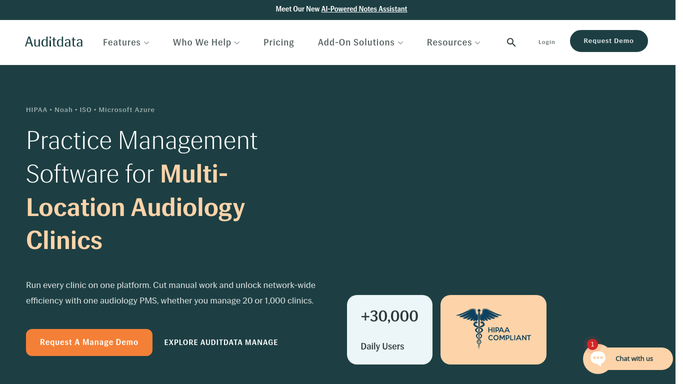
WebRun opens Auditdata Manage to match cancellations to the waitlist. - Open Auditdata Manage and find appointments cancelled or freed since the last run
- For each open slot, read the clinic, clinician, appointment type, date, and time
- Search the waitlist for patients who fit that slot's clinic, clinician, and appointment type
- Pick the best match by priority and how long they have been waiting
Done when Every freed slot is paired with the best matching waitlisted patient.
-
2
Twilio - draft the slot offer text
twilio.com How to Automate Twilio

WebRun opens Twilio to draft the slot offer text. - Draft a short offer text inviting the matched patient to take the newly open slot
- Include the clinic, date, time, and how to accept or decline
- Queue the message in Twilio but leave it unsent for staff to approve
- Never text a patient automatically. A staff member releases each offer
Done when An offer text is drafted and queued for staff approval for every filled match.
-
3
Slack - alert the front desk
slack.com How to Automate Slack

WebRun opens Slack to alert the front desk. - Post a heads up to the front desk Slack channel for each freed slot
- Name the open slot and the suggested waitlist patient with their initials
- Note that an offer text is drafted and waiting for approval
- Flag any slot within 24 hours that has no good waitlist match
Done when The front desk has a Slack summary of freed slots and suggested backfills.
How is each run configured?
Secure by default
Connect once, stays signed in
WebRun signs in once and keeps each session in a persistent environment, so every run picks up right where it left off.
Every action is checked against this policy before it runs.
Questions, answered
Will it text waitlisted patients on its own?
No. WebRun drafts each slot offer in Twilio and leaves it queued. A staff member reviews and releases the message, so no patient is contacted until a human approves the offer.
How does it pick who to offer the slot to?
It matches the freed slot's clinic, clinician, and appointment type against the Auditdata Manage waitlist, then ranks candidates by priority and how long they have been waiting.
What if no waitlist patient fits the slot?
It posts a Slack heads up flagging any freed slot within 24 hours that has no strong waitlist match, so the front desk can fill it another way before it is lost.
Related templates
Put this on autopilot.
Turn it on in minutes - or have our team set it up for you.