Flag tonight's guests who have not signed the scare waiver
Each event day before doors, WebRun opens FEARTICKET for tonight's orders, checks each guest against your signed scare-waiver records in DocuSign, builds a worklist of every guest and minor who still has an unsigned waiver, and posts it to your check-in Slack channel so staff can flag them on arrival.
- No credit card
- Under $0.01 per run
- Cancel anytime
How do I automatically flag haunted house guests who have not signed a waiver?
Before doors each event day, WebRun lists tonight's FEARTICKET ticket holders, checks each one against your completed scare-waiver envelopes in DocuSign, and posts your check-in staff a Slack worklist of every guest and minor still missing a signed waiver, grouped by time slot, so the gate can catch them without any guest ever being messaged.
- Staff catch unsigned guests at the gate instead of at the front of the queue
- Minors needing a guardian signature are flagged before they reach the entrance
- Waiver status is checked every event day without a manual roll call
Built for haunted attraction owners · check-in staff leads · event safety managers · Halloween event operators
What does WebRun do on every run?
The exact actions WebRun takes, in order - in plain language, so you can adjust anything.
-
WebRun signs in and gets to work
Opens
www.fearticket.comin a real browser with your saved login - no setup, no API keys. -
1
FEARTICKET - list tonight's ticket holders
fearticket.com How to Automate FEARTICKET
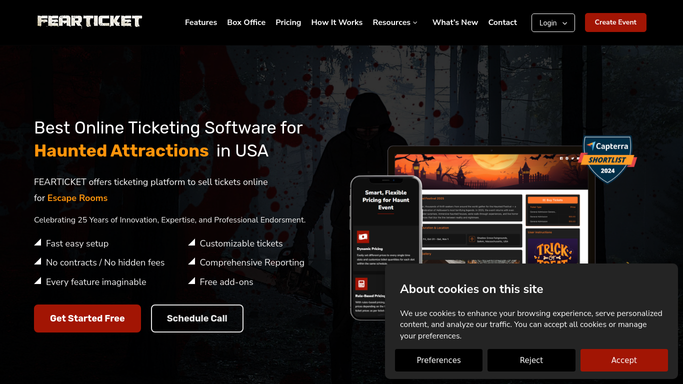
WebRun opens FEARTICKET to list tonight's ticket holders. - Open FEARTICKET and filter orders to tonight's event date
- Capture each order's lead guest name, party size, and any listed minors on the booking
- Note the assigned time slot so the worklist is grouped by arrival window
Done when Every ticket holder attending tonight is listed with party size and time slot.
-
2
DocuSign - check who has signed the waiver
docusign.com How to Automate DocuSign

WebRun opens DocuSign to check who has signed the waiver. - Open DocuSign and pull the signed scare-waiver envelopes for tonight's event
- Match each signed waiver to a guest on the FEARTICKET order list by name and email
- Mark every guest or minor with no matching completed waiver as still needing to sign
Done when Each attending guest is marked as waiver-signed or waiver-missing.
-
3
Slack - post the unsigned worklist
slack.com How to Automate Slack

WebRun posts the unsigned-waiver worklist to the staff Slack channel. - Post a worklist to the check-in Slack channel of every guest missing a signed waiver, grouped by time slot
- Flag any minors separately so staff know to get a guardian signature
- Keep this list internal to staff. It stays in Slack and is never sent to guests
Done when Check-in staff have tonight's unsigned-waiver worklist in Slack.
How is each run configured?
Secure by default
Connect once, stays signed in
WebRun signs in once and keeps each session in a persistent environment, so every run picks up right where it left off.
Every action is checked against this policy before it runs.
Questions, answered
Does it message guests to chase the waiver?
No. This worklist stays internal in Slack for your check-in staff. WebRun does not contact guests here. Staff simply flag the listed people at the gate to sign before they enter, so nothing goes out to a guest without you.
How does it know who already signed?
WebRun matches each tonight's FEARTICKET order against your completed scare-waiver envelopes in DocuSign by name and email, so anyone with a finished waiver is cleared and only the truly unsigned guests appear on the list.
What about minors on a booking?
WebRun lists any minors on the order separately and flags them for a guardian signature, so staff know which parties need a parent or guardian to sign at check-in.
Related templates
Put this on autopilot.
Turn it on in minutes - or have our team set it up for you.