Get a daily GTreasury cash position digest
Every morning, WebRun opens GTreasury, reviews today's cash position across every connected account, logs the total and per-account balances to a running Google Sheets log, and emails the treasury team a summary with the largest movement since yesterday.
- No credit card
- Under $0.01 per run
- Cancel anytime
How do I get a daily cash position summary from GTreasury?
WebRun reviews today's cash position across every connected GTreasury account each morning, logs the total and per-account balances to a running Google Sheets log, and emails the treasury team a summary with the largest movement since yesterday. The team starts the day already knowing where cash sits, without compiling the position by hand.
- The team sees the cash position every morning without compiling it by hand
- Unusual balance swings are called out automatically
- Every day's position builds into a running Sheets log
Built for corporate treasury teams · finance directors · cash management analysts
What does WebRun do on every run?
The exact actions WebRun takes, in order - in plain language, so you can adjust anything.
-
WebRun signs in and gets to work
Opens
www.gtreasury.comin a real browser with your saved login - no setup, no API keys. -
1
GTreasury - pull today's cash position across accounts
gtreasury.com
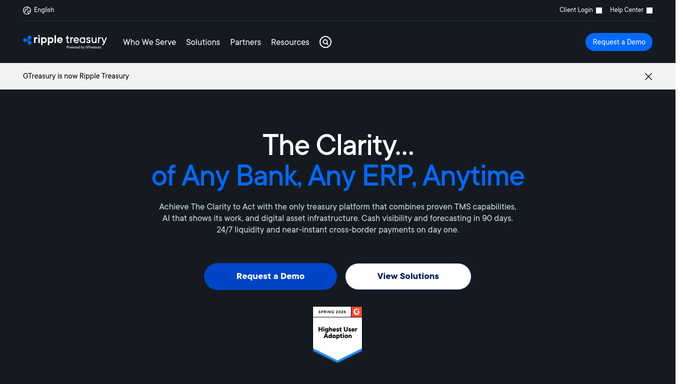
WebRun opens GTreasury to pull today's cash position across accounts. - Open GTreasury and review today's cash position across all connected accounts
- Record the total balance and the balance per entity or account
- Note the largest single movement since yesterday
Done when Today's cash position is captured across every account.
-
2
Google Sheets - log the cash position
google.com How to Automate Google Sheets

WebRun logs the cash position to Google Sheets. - Append today's cash position to the running Treasury Log sheet
- Update the total and per-account columns
Done when Today's cash position is logged in the Treasury Log.
-
3
Gmail - email the daily cash position digest
gmail.com How to Automate Gmail

WebRun emails the daily cash position digest through Gmail. - Email the treasury team today's total cash position and the largest movement
- Link the updated Treasury Log
Done when The treasury team has today's cash position digest in their inbox.
How is each run configured?
Secure by default
Connect once, stays signed in
WebRun signs in once and keeps each session in a persistent environment, so every run picks up right where it left off.
Every action is checked against this policy before it runs.
Questions, answered
Does it cover multiple entities or just one account?
It covers every account connected in GTreasury, rolled up into one total and broken out per entity or account in the log.
Will WebRun move cash between accounts or initiate a transfer?
No. WebRun only reads the cash position and reports on it. It never moves cash between accounts, initiates a transfer, or moves money. Any sweep or transfer decision stays the treasury team's to make.
What counts as the largest movement?
The single biggest change in any account balance since yesterday, called out in the email so an unusual swing gets noticed immediately.
Related templates
Put this on autopilot.
Turn it on in minutes - or have our team set it up for you.