Turn overnight Grafana alerts into owned tasks
Every morning, WebRun opens Grafana, reads which alert rules fired overnight and which are still firing, groups repeated alerts from the same rule, opens one Trello card per unresolved alert, and sends the on-call engineer a WhatsApp summary of what needs a human today.
- No credit card
- Under $0.01 per run
- Cancel anytime
How do I triage overnight Grafana alerts into tracked tasks each morning?
WebRun opens Grafana each morning and reads which alert rules fired overnight, grouping repeat firings and separating what self-resolved from what is still firing. It opens one Trello card per unresolved alert with its dashboard link, then sends the on-call engineer a WhatsApp briefing of the night.
- Every still-firing alert has an owner by 8am
- Repeat firings collapse into one card, not twenty
- The on-call engineer starts the day with the whole night in one message
Built for SRE teams · DevOps engineers · platform teams · on-call rotations
What does WebRun do on every run?
The exact actions WebRun takes, in order - in plain language, so you can adjust anything.
-
WebRun signs in and gets to work
Opens
grafana.comin a real browser with your saved login - no setup, no API keys. -
1
Grafana - read overnight alert history
grafana.com
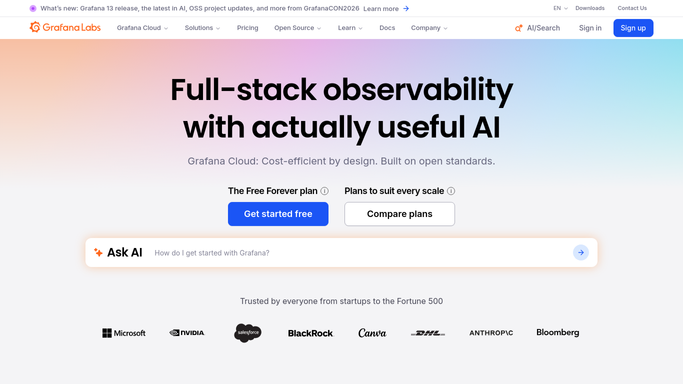
WebRun opens Grafana to read overnight alert history. - Open Grafana and go to the alerting view
- List every alert rule that changed state overnight with its start time and current state
- Group repeat firings of the same rule into one entry with a count
- Separate alerts that resolved themselves from those still firing
- Capture the dashboard link for each rule
Done when Overnight alerts are grouped by rule and split into resolved and still firing.
-
2
Trello - open a card per unresolved alert
trello.com How to Automate Trello

WebRun opens Trello to open a card per unresolved alert. - Open your on-call board and add a card for each alert still firing
- Title the card with the rule name and paste the Grafana dashboard link into it
- Add the firing duration and the repeat count to the card description
- Label anything that fired more than three times as recurring noise to tune
- Skip rules that already have an open card
Done when Every still-firing alert has exactly one open Trello card.
-
3
WhatsApp - brief the on-call engineer
whatsapp.com How to Automate WhatsApp

WebRun opens WhatsApp to brief the on-call engineer. - Send the on-call engineer a short WhatsApp summary of the night
- Lead with alerts still firing, then note what self-resolved and how long it lasted
- Include the count of new Trello cards and a link to the board
- Say plainly when the night was quiet
Done when The on-call engineer has this morning's alert briefing.
How is each run configured?
Secure by default
Connect once, stays signed in
WebRun signs in once and keeps each session in a persistent environment, so every run picks up right where it left off.
Every action is checked against this policy before it runs.
Questions, answered
Will it silence or change my alert rules?
No. WebRun only reads the alerting view in Grafana. It never edits a rule, mutes an alert, or changes a threshold. It writes to Trello and WhatsApp only.
How does it stop the same alert flooding the board?
It groups repeat firings of one rule into a single entry with a count, and it skips any rule that already has an open Trello card, so a flapping alert stays one card.
Does it wake anyone up?
No. This runs once in the morning and sends a summary to your on-call engineer's WhatsApp. It is a daily briefing, not a paging system.
Related templates
Put this on autopilot.
Turn it on in minutes - or have our team set it up for you.