Alert housekeeping to same-day back-to-back turns
Every morning, WebRun opens GlampManager, finds units with a same-day checkout and arrival, works out how tight each cleaning window is, cross-checks staff blocks on Google Calendar, and pings your housekeeping team on Telegram so the tightest back-to-back turns are staffed and covered first.
- No credit card
- Under $0.01 per run
- Cancel anytime
How do I alert housekeeping to same-day back-to-back glamping turns automatically?
Every morning, WebRun opens GlampManager, finds units with a same-day checkout and arrival, and works out how tight each cleaning window is. It cross-checks your housekeeping Google Calendar, flags any turn with no cleaner assigned, and pings the team on Telegram, so the tightest and understaffed back-to-back turns get covered before the next guest arrives.
- The tightest turns are surfaced and staffed before the next guest arrives
- Uncovered windows are flagged against the calendar, not discovered late
- Housekeeping claims turns from one Telegram alert each morning
Built for glamping site owners · glampsite managers · housekeeping teams · holiday park hosts
What does WebRun do on every run?
The exact actions WebRun takes, in order - in plain language, so you can adjust anything.
-
WebRun signs in and gets to work
Opens
www.glampmanager.comin a real browser with your saved login - no setup, no API keys. -
1
GlampManager - find same-day back-to-back turns
glampmanager.com How to Automate GlampManager
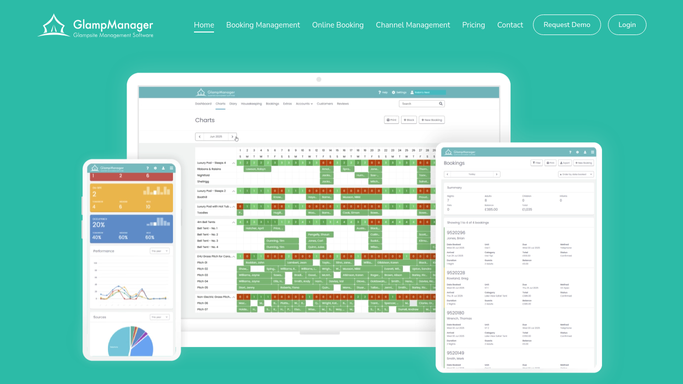
WebRun finds same-day back-to-back turns in GlampManager. - Open GlampManager and list units with both a checkout and an arrival today
- Calculate the gap between each checkout time and the next arrival window
- Flag any unit whose cleaning window is under three hours as a tight turn
- Capture the unit, both guests, and the exact times for each
Done when Every same-day turn is listed with its cleaning window and tight-turn flag.
-
2
Google Calendar - check staff availability
calendar.google.com How to Automate Google Calendar

WebRun checks staff availability in Google Calendar. - Open the housekeeping staff calendar
- Check which cleaners are rostered during each tight turn's window
- Flag any tight turn that currently has no cleaner assigned
- Note the nearest available cleaner for each uncovered turn
Done when Every tight turn is matched to a rostered cleaner or flagged as uncovered.
-
3
Telegram - alert housekeeping to tight turns
telegram.org How to Automate Telegram

WebRun alerts housekeeping to the tight turns on Telegram. - Post an alert to the housekeeping Telegram group
- Lead with tight turns that have no cleaner assigned yet
- List each unit, the cleaning window, and the arrival time to beat
- Ask the team to claim any uncovered turn in the thread
Done when Housekeeping has an alert naming every tight turn and any left uncovered.
How is each run configured?
Secure by default
Connect once, stays signed in
WebRun signs in once and keeps each session in a persistent environment, so every run picks up right where it left off.
Every action is checked against this policy before it runs.
Questions, answered
Does it contact guests about the turnaround?
No. This run is entirely internal. WebRun alerts your housekeeping team on Telegram and never messages a departing or arriving guest, so guests see nothing from this workflow.
What counts as a tight back-to-back turn?
By default, any unit where the next guest arrives less than three hours after the previous guest checks out. You can adjust that threshold in your run settings to match your cleaning times.
How does it know if a turn is understaffed?
It cross-checks each tight turn against your housekeeping Google Calendar and flags any window with no cleaner rostered, so uncovered turns are surfaced first in the Telegram alert.
Related templates
Put this on autopilot.
Turn it on in minutes - or have our team set it up for you.