Get a weekly GetFeedback scorecard without digging for it
Every Monday, WebRun opens GetFeedback, reads every survey response from the past week, adds the score breakdown to the description of your recurring CX review meeting in Google Calendar, and posts the same scorecard to your Microsoft Teams channel.
- No credit card
- Under $0.01 per run
- Cancel anytime
How do I get a weekly GetFeedback scorecard automatically?
WebRun pulls every GetFeedback response from the past week each Monday, breaks the scores down, and adds the summary to your recurring CX review meeting in Google Calendar as well as your Microsoft Teams channel. Your team walks into the weekly review with the scorecard already in front of them instead of pulling it manually.
- The weekly CX review starts with the scorecard already prepared
- Lowest scoring responses are surfaced automatically for discussion
- No one manually exports GetFeedback data before the meeting
Built for customer experience teams · support managers · product teams · operations leaders
What does WebRun do on every run?
The exact actions WebRun takes, in order - in plain language, so you can adjust anything.
-
WebRun signs in and gets to work
Opens
getfeedback.comin a real browser with your saved login - no setup, no API keys. -
1
GetFeedback - pull the week's survey responses
getfeedback.com
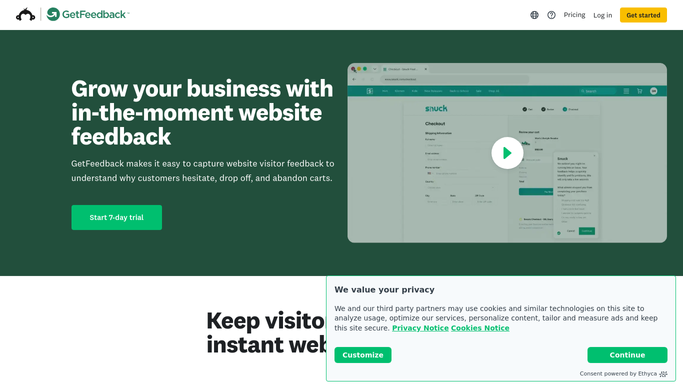
WebRun opens GetFeedback to pull the week's survey responses. - Open GetFeedback and pull every response from the past 7 days
- Break scores down by survey and by response count
- Note the lowest scoring responses and their comments
Done when The full week's response data is read and broken down.
-
2
Google Calendar - add the scorecard to the review meeting
calendar.google.com How to Automate Google Calendar

WebRun opens Google Calendar to add the scorecard to the review meeting. - Open this week's recurring CX review event
- Add the score breakdown and lowest scoring comments to its description
- Leave the event's attendee list and time untouched
Done when This week's review event has the scorecard in its description.
-
3
Microsoft Teams - post the scorecard to the team
microsoft.com How to Automate Microsoft Teams

WebRun opens Microsoft Teams to post the scorecard to the team. - Post the same scorecard to the CX channel
- Highlight the lowest scoring responses for discussion
- Link back to the full response data in GetFeedback
Done when The team has this week's scorecard in Teams.
How is each run configured?
Secure by default
Connect once, stays signed in
WebRun signs in once and keeps each session in a persistent environment, so every run picks up right where it left off.
Every action is checked against this policy before it runs.
Questions, answered
Does it change my calendar meeting itself?
No. WebRun only edits the description of the existing recurring review event to add the scorecard. It never changes the time, attendees, or invite.
Does it contact any customers who responded?
No. It only reads survey responses and reports them internally in Teams and Calendar. It never messages a customer.
How are the lowest scores chosen?
It reads the actual scores recorded in GetFeedback and ranks by lowest first, so the responses surfaced are always the real outliers, not a guess.
Related templates
Put this on autopilot.
Turn it on in minutes - or have our team set it up for you.