Catch vehicle faults before they become breakdowns
Every morning, WebRun opens Geotab, reviews overnight fault codes and harsh driving exceptions across the fleet, posts a summary to Microsoft Teams, and creates a Trello card for each vehicle that needs a maintenance follow-up.
- No credit card
- Under $0.01 per run
- Cancel anytime
How do I get notified about Geotab fleet exceptions each day?
WebRun checks Geotab every morning for new fault codes and harsh driving exceptions across your fleet. It posts a summary to Microsoft Teams so the team sees the full picture at a glance, and creates a Trello card for each vehicle that needs a maintenance follow-up, so nothing overnight gets missed before the trucks roll out.
- Fleet exceptions get flagged the same morning they happen
- Every flagged vehicle has an open maintenance card, not a missed email
- The fleet channel gets one clear summary instead of scattered alerts
Built for fleet managers · trucking operations · field service fleets · logistics teams
What does WebRun do on every run?
The exact actions WebRun takes, in order - in plain language, so you can adjust anything.
-
WebRun signs in and gets to work
Opens
www.geotab.comin a real browser with your saved login - no setup, no API keys. -
1
Geotab - find overnight fault codes and exceptions
geotab.com
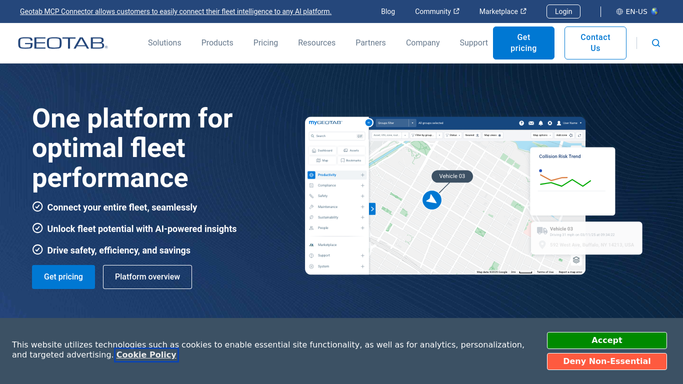
WebRun opens Geotab to find overnight fault codes and exceptions. - Open Geotab and review the exceptions dashboard for the last 24 hours
- Capture each vehicle with a new fault code, harsh braking, or speeding exception
- Note the vehicle, driver, and exception type for each
Done when Every new exception from the last 24 hours is listed with its vehicle and driver.
-
2
Microsoft Teams - post the fleet summary
microsoft.com How to Automate Microsoft Teams

WebRun opens Microsoft Teams to post the fleet summary. - Post a summary of the day's exceptions to the fleet channel
- Group the list by vehicle so repeat issues stand out
- Tag the fleet manager on anything safety related
Done when The fleet channel has today's exception summary.
-
3
Trello - create a follow-up card per vehicle
trello.com How to Automate Trello

WebRun opens Trello to create a follow-up card per vehicle. - Create a card on the maintenance board for each vehicle needing follow-up
- Add the exception type and date to the card
- Leave it in the To Do list for the shop to triage
Done when Every flagged vehicle has an open Trello card.
How is each run configured?
Secure by default
Connect once, stays signed in
WebRun signs in once and keeps each session in a persistent environment, so every run picks up right where it left off.
Every action is checked against this policy before it runs.
Questions, answered
Does it change any vehicle or driver settings in Geotab?
No. WebRun only reads exception and fault code data from Geotab. It never changes a vehicle profile, rule, or driver setting on its own.
Will it dispatch a driver or book a repair?
No. It creates a Trello card so your team can decide whether and when to schedule the repair. Nothing is booked automatically.
What counts as an exception?
Whatever Geotab already flags for your fleet, such as new fault codes, harsh braking, or speeding events. WebRun just collects and summarizes what Geotab reports.
Related templates
Put this on autopilot.
Turn it on in minutes - or have our team set it up for you.