Catch changes to your Geico policy fast
Every morning, WebRun opens your Geico account, checks each policy for a premium change, a coverage change, or a newly issued declarations page, saves the updated document to Google Drive, and posts a Slack alert the moment something changes.
- No credit card
- Under $0.01 per run
- Cancel anytime
How do I get notified when something changes on my Geico policy?
WebRun checks your Geico account every morning for a premium change, a coverage change, or a newly issued declarations page on each policy. It saves the updated document to Google Drive and posts a Slack alert naming exactly what changed, so a quiet premium increase or coverage shift never goes unnoticed until renewal.
- Premium and coverage changes get flagged the same morning
- Every policy document is archived outside the Geico portal
- Nothing changes on a policy without the team knowing that day
Built for Small business owners · fleet operators · office managers · individuals managing multiple policies
What does WebRun do on every run?
The exact actions WebRun takes, in order - in plain language, so you can adjust anything.
-
WebRun signs in and gets to work
Opens
www.geico.com/accountin a real browser with your saved login - no setup, no API keys. -
1
Geico - check policies for changes
geico.com
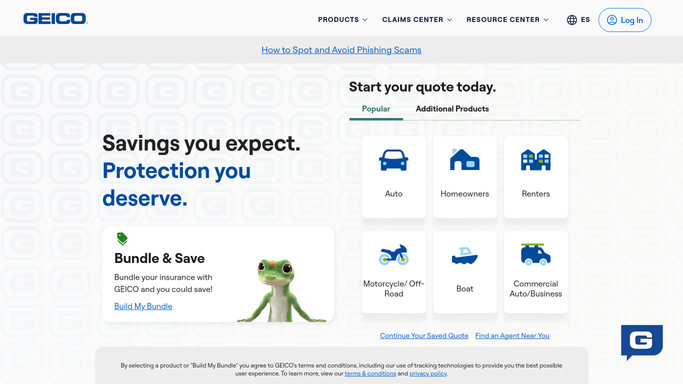
WebRun opens Geico to check policies for changes. - Open the account and review each active policy
- Compare the current premium and coverage against the last saved version
- Check for a newly issued declarations page or ID card
Done when Every policy has been checked against its last known version.
-
2
Google Drive - save the updated document
drive.google.com How to Automate Google Drive

WebRun opens Google Drive to save the updated document. - Save any newly issued document to the policy folder
- Name the file with the policy number and issue date
- Keep the folder to the current and prior version for comparison
Done when Any new document found today is saved to Drive.
-
3
Slack - alert the team
slack.com How to Automate Slack

WebRun opens Slack to alert the team. - Post an alert naming the policy and exactly what changed
- Include the old and new premium if it moved
- Stay quiet on days with no change
Done when The team has been alerted to any policy change found today.
How is each run configured?
Secure by default
Connect once, stays signed in
WebRun signs in once and keeps each session in a persistent environment, so every run picks up right where it left off.
Every action is checked against this policy before it runs.
Questions, answered
Will it accept a coverage change or pay a new premium?
No. WebRun only reads and reports what changed. Accepting a coverage change or making a payment stays your decision on the Geico account.
What counts as a change worth alerting on?
A different premium amount, a coverage limit that moved, or a new declarations page or ID card being issued. Routine login activity isn't included.
Where are the policy documents saved?
In a policy folder in your own Google Drive, so you have a running record of every version outside the Geico portal.
Related templates
Put this on autopilot.
Turn it on in minutes - or have our team set it up for you.