Keep customers coming back with timely plant-care tips
Every Monday, WebRun checks the current season and your planting calendar in Google Sheets, drafts a batch of timely plant-care tips in Mailchimp for your customer segments, and queues the campaign for your team to review and schedule before any email is sent.
- No credit card
- Under $0.01 per run
- Cancel anytime
How do I automatically send seasonal plant-care reminders to nursery customers?
WebRun checks your seasonal planting calendar in Google Sheets every Monday, pulls the relevant customer segment from SBI Software, and drafts a targeted plant-care tips campaign in Mailchimp for your team to review. No email reaches customers until your team approves and schedules it.
- Customers receive timely, relevant care tips without manual writing each week
- Targeted segments mean tips match what each customer actually bought
- Team retains full approval before any email reaches customers
Built for garden center owners · plant nursery marketing teams · retail nursery managers
What does WebRun do on every run?
The exact actions WebRun takes, in order - in plain language, so you can adjust anything.
-
WebRun signs in and gets to work
Opens
google.com/sheetsin a real browser with your saved login - no setup, no API keys. -
1
Google Sheets - check seasonal planting calendar
google.com How to Automate Google Sheets

WebRun opens Google Sheets to check seasonal planting calendar. - Open the nursery seasonal planting calendar sheet
- Read the current week's recommended care tasks and upcoming seasonal milestones
- Note which plant categories are most relevant this week
Done when This week's seasonal care topics and relevant plant categories are identified.
-
2
SBI Software - pull customer purchase history for segmentation
sbisoftware.com
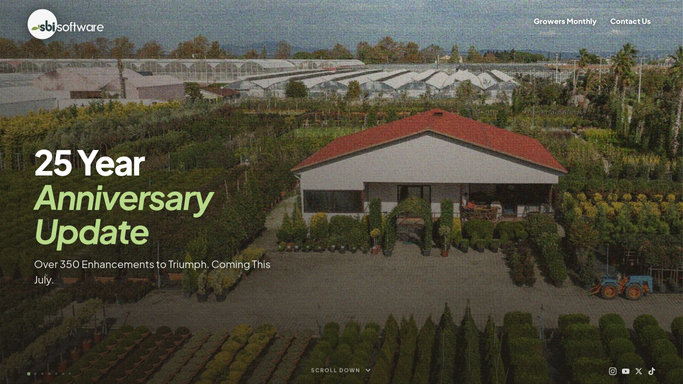
WebRun opens SBI Software to pull customer purchase history for segmentation. - Open SBI Software and navigate to customer purchase history
- Identify customers who have purchased the relevant plant categories in the past 12 months
- Export the segment list for use in Mailchimp
Done when A targeted customer segment based on purchase history is ready.
-
3
Mailchimp - draft seasonal care-tip campaign for review
mailchimp.com How to Automate Mailchimp

WebRun opens Mailchimp to draft seasonal care-tip campaign for review. - Open Mailchimp and create a new campaign draft for the seasonal care segment
- Write subject line and body copy with this week's care tips matched to the season
- Set the audience to the imported segment and leave the campaign as a draft for team review. Do not schedule or send automatically.
Done when A seasonal care-tip campaign draft is saved in Mailchimp, ready for team review.
How is each run configured?
Secure by default
Connect once, stays signed in
WebRun signs in once and keeps each session in a persistent environment, so every run picks up right where it left off.
Every action is checked against this policy before it runs.
Questions, answered
Will it send the email campaign without our approval?
No. WebRun drafts the campaign in Mailchimp and leaves it unscheduled. Your team reviews the copy and clicks send when they are happy with it.
How does it decide which tips to include each week?
It reads your seasonal planting calendar in Google Sheets. Update the calendar with your region's care milestones and the drafts will reflect them automatically.
What if we do not want to send one every single week?
Simply skip or delete the draft in Mailchimp for any week you want to pause. The next Monday it will create a fresh draft for that week's season.
Related templates
Put this on autopilot.
Turn it on in minutes - or have our team set it up for you.