Get a daily digest of your Gadu-Gadu chats
Every morning, WebRun opens Gadu-Gadu, checks overnight conversations and new contact requests, saves any shared files to Google Drive, and posts a short digest to Slack so the team knows what needs a reply.
- No credit card
- Under $0.01 per run
- Cancel anytime
How do I get a daily digest of my Gadu-Gadu conversations?
WebRun checks Gadu-Gadu every morning for overnight conversations and new contact requests, saves any shared files to a named Google Drive folder, and posts a short digest to Slack listing what still needs a reply. Your team starts the day with a clear list instead of scrolling back through the chat history themselves.
- Overnight conversations are summarized before the team logs in
- Shared files are archived automatically instead of buried in chat
- New contact requests never sit unnoticed
Built for Customer support teams · Small business owners · Community managers · Polish market businesses
What does WebRun do on every run?
The exact actions WebRun takes, in order - in plain language, so you can adjust anything.
-
WebRun signs in and gets to work
Opens
gg.plin a real browser with your saved login - no setup, no API keys. -
1
Gadu-Gadu - check overnight conversations
gg.pl
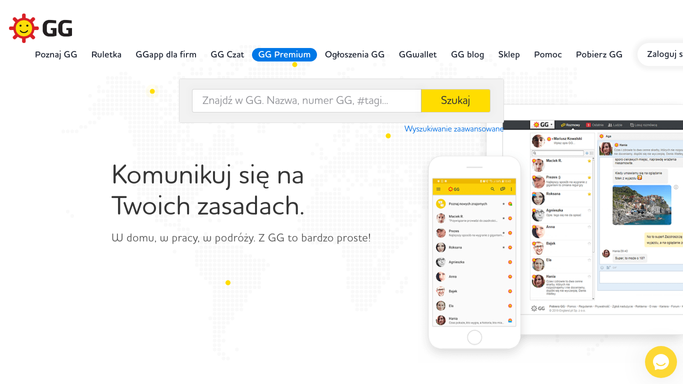
WebRun opens Gadu-Gadu to check overnight conversations. - Open Gadu-Gadu and review conversations since the last check
- Note new contact requests and unanswered messages
- Collect any files or images shared overnight
Done when Overnight conversations and contact requests are reviewed.
-
2
Google Drive - save shared files
drive.google.com How to Automate Google Drive

WebRun opens Google Drive to save shared files. - Open the shared conversation files folder
- Upload each file or image collected from Gadu-Gadu
- Name each file with the sender and date
Done when Every shared file is saved and named in Drive.
-
3
Slack - post the daily digest
slack.com How to Automate Slack

WebRun opens Slack to post the daily digest. - Open the team channel
- Post a digest of new contact requests and unanswered messages
- Link to the saved files in Drive
Done when The team has this morning's digest in Slack.
How is each run configured?
Secure by default
Connect once, stays signed in
WebRun signs in once and keeps each session in a persistent environment, so every run picks up right where it left off.
Every action is checked against this policy before it runs.
Questions, answered
Does WebRun reply to anyone on Gadu-Gadu?
No. It only reads conversations and contact requests. Replying is left to your team.
What happens to files people send?
WebRun saves them to a Google Drive folder named with the sender and date, so nothing gets lost in the chat history.
Will overnight messages get missed?
No. WebRun checks everything since its last run, so overnight activity is always covered in the morning digest.
Related templates
Put this on autopilot.
Turn it on in minutes - or have our team set it up for you.