Flag freight invoice overcharges before you pay them
Every morning, WebRun opens CassPort in Cass, pulls the overnight invoice batch, compares each charge against your contracted carrier rates, and posts any overcharge flags to a Slack channel so your auditors tackle the highest-dollar mismatches first.
- No credit card
- Under $0.01 per run
- Cancel anytime
How do I automatically flag freight invoice overcharges before payment?
WebRun opens CassPort every morning, compares each carrier invoice against your contracted rates, and posts a ranked list of overcharge flags to Slack before the payment run. Your auditors see only the exceptions that need attention, with dollar variances listed highest first, so recoverable overcharges are caught before payment goes out.
- Overcharges caught before payment rather than recovered after
- Auditors review only exceptions, not every invoice
- Highest-dollar variances surfaced first every morning
Built for freight audit teams · transportation managers · logistics controllers · 3PLs
What does WebRun do on every run?
The exact actions WebRun takes, in order - in plain language, so you can adjust anything.
-
WebRun signs in and gets to work
Opens
my.cassport.comin a real browser with your saved login - no setup, no API keys. -
1
Cass - pull overnight invoice batch and check contract rates
cassinfo.com How to Automate Cass
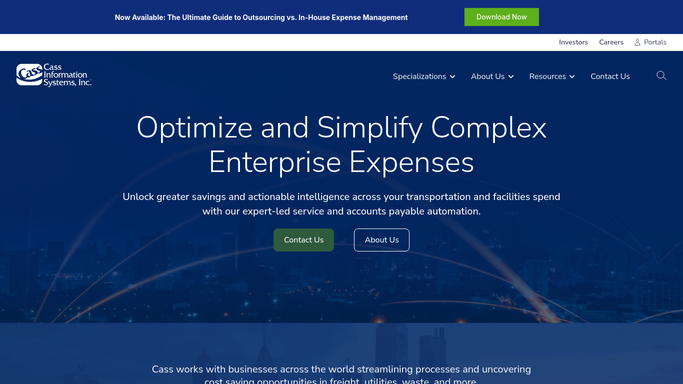
WebRun opens Cass to pull overnight invoice batch and check contract rates. - Open CassPort and navigate to the invoice queue for the current processing cycle
- For each invoice, compare line-item charges against the stored contract rate for that carrier and lane
- Flag any invoice where the billed amount exceeds the contracted rate by more than your tolerance threshold
- Capture carrier name, invoice number, billed amount, contracted amount, and variance for each flag
Done when Every overcharge above threshold is listed with its dollar variance and carrier details.
-
2
Slack - post ranked overcharge flags for auditor review
slack.com How to Automate Slack

WebRun opens Slack to post ranked overcharge flags for auditor review. - Post the ranked overcharge list to your freight-audit Slack channel, highest variance first
- Include carrier name, invoice number, billed vs. contracted amount, and the percentage gap
- Tag the responsible auditor or team lead for each flag if routing rules are configured
Done when Your team has a prioritized overcharge worklist in Slack before the payment run.
How is each run configured?
Secure by default
Connect once, stays signed in
WebRun signs in once and keeps each session in a persistent environment, so every run picks up right where it left off.
Every action is checked against this policy before it runs.
Questions, answered
Will it automatically dispute invoices with carriers?
No. WebRun flags the overcharges and surfaces them in Slack for your auditors to review. Any formal dispute communication is drafted for human approval before anything is sent to a carrier.
How does it know my contracted rates?
It reads the rate data already stored in your CassPort account against which Cass audits invoices as part of its standard freight audit and payment workflow.
What if no overcharges are found?
WebRun posts a brief confirmation to Slack noting the cycle was clean, so your team always knows the run completed even when there is nothing to action.
Related templates
Put this on autopilot.
Turn it on in minutes - or have our team set it up for you.