Generate your freight accrual file automatically at month-end
Every night near month-end, WebRun opens CassPort, pulls all shipments that have moved but not yet been invoiced, estimates freight cost for each using your contracted lane rates, allocates by GL code and cost center, and outputs a formatted accrual file in Google Sheets ready for your finance team to review and upload to your ERP.
- No credit card
- Under $0.01 per run
- Cancel anytime
How do I automatically generate a freight accrual report from uninvoiced shipments?
WebRun opens CassPort every night, finds all shipments that have moved but have not yet been invoiced, estimates freight cost using your contracted lane rates, and writes a fully GL-coded accrual file to Google Sheets. Your finance team reviews the file and uploads it to the ERP, cutting the manual accrual process from hours to minutes.
- Month-end freight accrual file ready in Google Sheets every morning of close week
- Estimated costs use actual contracted rates rather than rough averages
- Finance team reviews and uploads in minutes instead of spending hours pulling data
Built for transportation accountants · freight audit teams · supply chain finance · logistics controllers
What does WebRun do on every run?
The exact actions WebRun takes, in order - in plain language, so you can adjust anything.
-
WebRun signs in and gets to work
Opens
my.cassport.comin a real browser with your saved login - no setup, no API keys. -
1
Cass - pull uninvoiced shipments and estimate accrual amounts
cassinfo.com How to Automate Cass
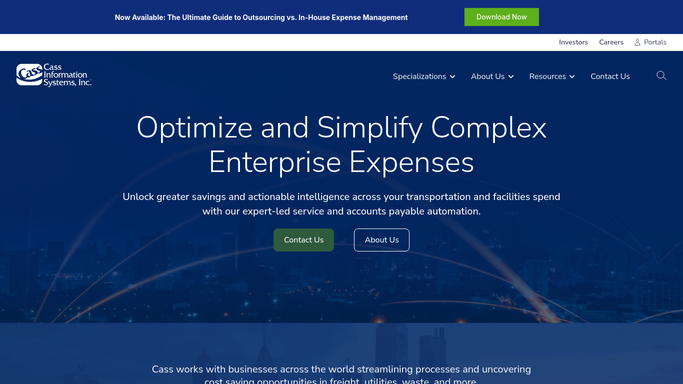
WebRun opens Cass to pull uninvoiced shipments and estimate accrual amounts. - Open CassPort and pull all shipments with a ship date in the current accounting period that do not yet have a matched invoice
- For each uninvoiced shipment, estimate the freight cost using the contracted carrier rate for that lane, mode, and weight
- Allocate each estimated cost to the correct GL account and cost center based on your allocation rules
- Capture shipment reference, carrier, lane, estimated cost, GL code, cost center, and ship date for each record
Done when Every uninvoiced in-transit shipment has an estimated cost and GL allocation.
-
2
Google Sheets - write the formatted accrual file for ERP upload
google.com How to Automate Google Sheets

WebRun opens Google Sheets to write the formatted accrual file for ERP upload. - Write the accrual records to the monthly Freight Accrual sheet in the format your ERP import requires
- Include a summary tab with total accrual by cost center, GL account, and carrier
- Highlight any shipments where no contracted rate was found and an average was used instead, for your team to review
Done when The accrual file in Google Sheets is complete and formatted for ERP upload.
How is each run configured?
Secure by default
Connect once, stays signed in
WebRun signs in once and keeps each session in a persistent environment, so every run picks up right where it left off.
Every action is checked against this policy before it runs.
Questions, answered
Will it upload the accrual file to our ERP automatically?
No. WebRun produces the formatted file in Google Sheets for your finance team to review. The ERP upload is a human step so you can verify the totals before posting.
How accurate are the cost estimates for uninvoiced shipments?
Estimates use your contracted carrier rates for each lane, mode, and weight break stored in CassPort. Shipments without a matched rate are flagged in the sheet and estimated using a configurable average rate.
Does it run only at month-end, or every night?
It runs every night, but the output is most useful in the days before close. Your finance team can pull the latest file at any point during the month to see the current accrual position.
Related templates
Put this on autopilot.
Turn it on in minutes - or have our team set it up for you.