Spot ineligible invoices in FundThrough before they slow your funding
Every morning, WebRun opens FundThrough, scans pending invoice submissions for common ineligibility signals such as unverified debtors, cross-aged invoices, related-party transactions, or invoices past the eligible age window, and writes a flagged worklist to Google Sheets so your team can fix issues before funding is delayed.
- No credit card
- Under $0.01 per run
- Cancel anytime
How do I automatically flag ineligible invoices before submitting to a factoring company?
WebRun scans your FundThrough pending invoice submissions every morning for common ineligibility signals such as unverified debtors, expired invoice dates, or cross-aged accounts, and writes every flagged invoice to a Google Sheet with the specific issue and a review-status column. Problems surface the same morning they are submitted, before they stall funding.
- Ineligible invoices are caught the same morning they are submitted
- Team sees the specific ineligibility reason, not just a rejection
- Funding delays caused by missed eligibility checks are reduced
Built for factoring operations teams · accounts receivable managers · invoice factoring clients · finance controllers
What does WebRun do on every run?
The exact actions WebRun takes, in order - in plain language, so you can adjust anything.
-
WebRun signs in and gets to work
Opens
app.fundthrough.comin a real browser with your saved login - no setup, no API keys. -
1
FundThrough - scan pending invoices for ineligibility signals
fundthrough.com How to Automate FundThrough
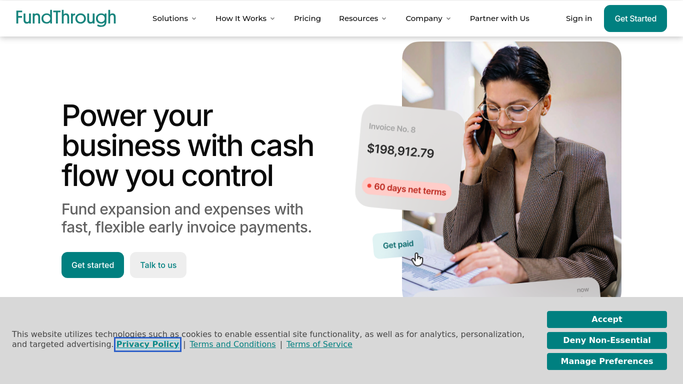
WebRun opens FundThrough to scan pending invoices for ineligibility signals. - Open FundThrough and navigate to pending invoice submissions
- Check each invoice for common ineligibility signals: unverified debtor, invoice date outside the eligible window, cross-aging on the debtor account, or related-party indicators
- Capture the invoice number, client, debtor, amount, ineligibility signal, and submission date for each flagged invoice
- Note any invoices where the signal is ambiguous and may need manual judgment
Done when Every pending invoice with an ineligibility signal is identified and documented with the specific issue.
-
2
Google Sheets - write the ineligible invoice flags worklist
google.com How to Automate Google Sheets

WebRun opens Google Sheets to write the ineligible invoice flags worklist. - Open the ineligible invoice tracking sheet
- Write a row for each flagged invoice with the client, debtor, amount, ineligibility signal, and date flagged
- Mark the status as 'needs review' for ambiguous cases and 'likely ineligible' for clear breaches
- Timestamp the sheet so the team knows how fresh the data is
Done when The Google Sheet shows all flagged invoices with ineligibility reasons and review status.
How is each run configured?
Secure by default
Connect once, stays signed in
WebRun signs in once and keeps each session in a persistent environment, so every run picks up right where it left off.
Every action is checked against this policy before it runs.
Questions, answered
Will it remove or reject flagged invoices from FundThrough?
No. WebRun only reads and flags. No invoice is removed, rejected, or modified without a human decision.
What ineligibility signals does it check?
WebRun checks for unverified debtors, invoices outside the eligible age window, cross-aging on debtor accounts, and related-party transaction indicators. You can specify additional signals during setup.
What if an invoice was incorrectly flagged?
Your team marks it as 'cleared' in the Google Sheet after review. WebRun does not re-flag cleared invoices on subsequent runs.
Related templates
Put this on autopilot.
Turn it on in minutes - or have our team set it up for you.