Prepare monthly client statements from your FundThrough activity
On the first business day of each month, WebRun opens FundThrough, pulls every client's activity for the prior month including advances, fees, debtor payments received, and reserve movements, then compiles a statement per client in Google Sheets and drafts a covering email in Gmail for your team to review and send.
- No credit card
- Under $0.01 per run
- Cancel anytime
How do I automatically generate monthly client statements from my FundThrough activity?
On the first business day of each month, WebRun pulls the prior month's factoring activity from FundThrough for every client, compiles a structured statement in Google Sheets showing advances, fees, debtor payments, and reserve balance, then drafts a covering email in Gmail for each client. No statement is sent until your team reviews and approves it.
- Monthly client statements are compiled and drafted within hours of month end
- No statement is sent without a human reviewing the numbers first
- Zero-activity clients are included so records stay complete
Built for invoice factoring providers · factoring operations teams · accounts receivable managers · small business finance teams
What does WebRun do on every run?
The exact actions WebRun takes, in order - in plain language, so you can adjust anything.
-
WebRun signs in and gets to work
Opens
app.fundthrough.comin a real browser with your saved login - no setup, no API keys. -
1
FundThrough - pull each client's monthly factoring activity
fundthrough.com How to Automate FundThrough
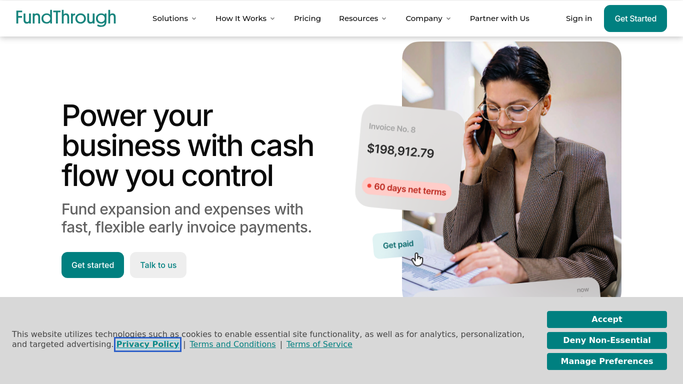
WebRun opens FundThrough to pull each client's monthly factoring activity. - Open FundThrough and filter activity to the previous calendar month
- For each client, capture all advances, fees charged, debtor payments received, and reserve movements
- Calculate opening balance, closing balance, and net funding cost for the month
- Flag any clients with unusual activity, such as no advances this month or a large increase in fees
Done when Every client's monthly activity is compiled with opening balance, closing balance, and net cost.
-
2
Google Sheets - compile a structured activity statement per client
google.com How to Automate Google Sheets

WebRun opens Google Sheets to compile a structured activity statement per client. - Open the client statements workbook
- Create or update a tab for each client with their monthly activity in a clear columnar format
- Add a summary row at the top with opening balance, total advances, total fees, total payments, and closing balance
- Mark the tab as 'draft, pending review' so the team knows it has not yet been sent
Done when Each client has a structured monthly statement tab in the Google Sheets workbook marked as draft.
-
3
Gmail - draft the covering email for each client statement
gmail.com How to Automate Gmail

WebRun opens Gmail to draft the covering email for each client statement. - Draft a professional covering email for each client summarizing the key figures from their monthly statement
- Attach or link the relevant Google Sheet tab for the client
- Save each email as a Gmail draft without sending, for human review and approval
Done when A Gmail draft covering email exists for each client, unsent and ready for the team to review.
How is each run configured?
Secure by default
Connect once, stays signed in
WebRun signs in once and keeps each session in a persistent environment, so every run picks up right where it left off.
Every action is checked against this policy before it runs.
Questions, answered
Will it send the client statements automatically?
No. Every statement and covering email is saved as a draft for your team to review and approve before any communication goes to a client.
Can it generate statements for all clients in one run?
Yes. WebRun processes every active FundThrough client in a single run and creates a separate sheet tab and Gmail draft for each, so your team reviews and sends them individually.
What if a client had no activity last month?
WebRun still creates a statement for them showing zero activity for the period, so your records are complete and no client is accidentally omitted.
Related templates
Put this on autopilot.
Turn it on in minutes - or have our team set it up for you.