Get a daily funding activity report from FundThrough
Every morning, WebRun opens FundThrough, reads all funding activity from the previous 24 hours including new advances, fees, and debtor payments received, then posts a structured daily report to your Telegram finance channel so the team has a complete picture of yesterday's factoring activity before the day begins.
- No credit card
- Under $0.01 per run
- Cancel anytime
How do I get a daily report of my FundThrough invoice funding activity?
WebRun checks FundThrough every morning, reads all invoice funding activity from the previous 24 hours, including new advances, fees, and debtor payments, then posts a structured daily report to your Telegram finance channel. The team gets a complete picture of yesterday's factoring flow, with outlier flags, before the workday starts.
- Team sees all new advances and debtor payments before the day starts
- Unusually large transactions are flagged automatically in the report
- No manual login to FundThrough needed for daily activity review
Built for CFOs · accounts receivable managers · invoice factoring clients · small business finance teams
What does WebRun do on every run?
The exact actions WebRun takes, in order - in plain language, so you can adjust anything.
-
WebRun signs in and gets to work
Opens
app.fundthrough.comin a real browser with your saved login - no setup, no API keys. -
1
FundThrough - read all funding activity from the last 24 hours
fundthrough.com How to Automate FundThrough
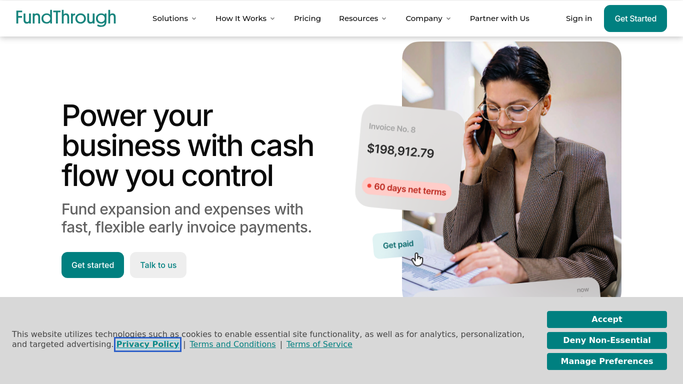
WebRun opens FundThrough to read all funding activity from the last 24 hours. - Open FundThrough and filter activity to the last 24 hours
- Capture each new advance: client name, debtor, invoice amount, advance amount, and fee
- Capture each debtor payment received: client, debtor, amount, and days to payment
- Total new advances, total fees, and total payments received for the period
Done when All funding activity from the last 24 hours is captured with line-item and summary totals.
-
2
Telegram - post the structured daily funding report
telegram.org How to Automate Telegram

WebRun opens Telegram to post the structured daily funding report. - Format a structured daily report with sections for new advances, debtor payments received, and net summary
- Post the report to the designated Telegram finance channel
- Flag any unusually large single advances or debtor payments that stand out from the daily average
Done when The Telegram channel has this morning's funding activity report with line items and totals.
How is each run configured?
Secure by default
Connect once, stays signed in
WebRun signs in once and keeps each session in a persistent environment, so every run picks up right where it left off.
Every action is checked against this policy before it runs.
Questions, answered
Will it take any actions in FundThrough?
No. WebRun reads activity data only and never submits, approves, or modifies anything in FundThrough.
What counts as an outlier in the daily report?
WebRun flags any single advance or debtor payment that is more than two times your seven-day rolling average, so unusually large transactions get called out without burying the daily flow.
Can it post to a private Telegram channel or group?
Yes. Add WebRun as a member of any Telegram group or channel your team uses for finance, and it will post there automatically each morning.
Related templates
Put this on autopilot.
Turn it on in minutes - or have our team set it up for you.