Text housekeepers their assignments before the shift starts
Every morning at 6 AM, WebRun opens FacilityRF, pulls the day's blueprint based cleaning schedule, texts each housekeeper their zone, starting room, and room count through Twilio, and logs the full roster to Google Sheets with any uncovered zone flagged for the supervisor.
- No credit card
- Under $0.01 per run
- Cancel anytime
How do I send housekeepers their daily cleaning assignments automatically?
Every morning at 6, WebRun opens FacilityRF, pulls the day's blueprint based cleaning schedule, and texts each housekeeper their zone, starting room, and total room count through Twilio. It logs the full roster to Google Sheets and flags any zone left uncovered, so the EVS supervisor can reassign before the shift begins.
- Every housekeeper has their zone and room count before the shift starts
- Uncovered zones from call-outs are flagged before rooms fall behind
- The supervisor keeps one master roster with no manual copying
Built for EVS supervisors · housekeeping schedulers · environmental services managers · hospital operations teams
What does WebRun do on every run?
The exact actions WebRun takes, in order - in plain language, so you can adjust anything.
-
WebRun signs in and gets to work
Opens
facilityrf.comin a real browser with your saved login - no setup, no API keys. -
1
FacilityRF - build today's room by room assignments
facilityrf.com How to Automate FacilityRF
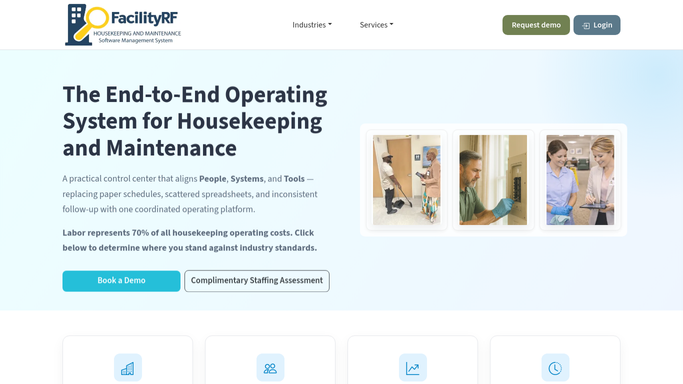
WebRun opens FacilityRF to build today's room by room assignments. - Open FacilityRF's Back Office and pull today's blueprint based cleaning schedule
- Match each zone and room list to the housekeeper rostered for that shift
- Note any zone left uncovered because of a call-out or open shift
Done when Every housekeeper on shift has a zone and room list for the day.
-
2
Twilio - text each housekeeper their zone and room count
twilio.com How to Automate Twilio

WebRun opens Twilio to text each housekeeper their zone and room count. - Text each housekeeper their zone, starting room, and total room count for the shift
- Text the EVS supervisor a separate note naming any zone left uncovered
Done when Every housekeeper on shift has received their assignment by text.
-
3
Google Sheets - log the full roster for the day
google.com How to Automate Google Sheets

WebRun opens Google Sheets to log the full roster for the day. - Open the Daily Cleaning Roster sheet
- Add a row for each housekeeper with their zone, room count, and shift start time
- Mark any uncovered zone in red for the supervisor to reassign
Done when The day's full roster is logged in the sheet with any gaps flagged.
How is each run configured?
Secure by default
Connect once, stays signed in
WebRun signs in once and keeps each session in a persistent environment, so every run picks up right where it left off.
Every action is checked against this policy before it runs.
Questions, answered
Does it build the schedule or just repeat what FacilityRF already has?
It reads the blueprint based schedule FacilityRF already generates and turns it into a text each housekeeper can act on immediately, plus one master sheet for the supervisor. It does not change or override the schedule itself.
What happens if a housekeeper calls out?
Any zone left uncovered because of a call-out or an open shift is flagged in red on the roster sheet and named in a separate text to the EVS supervisor, so reassignment happens before the shift starts, not after rooms fall behind.
Do housekeepers need to check an app to see their assignment?
No. Each housekeeper gets their zone, starting room, and room count by text before the shift starts, so no one needs to log into FacilityRF just to see where they are working that day.
Related templates
Put this on autopilot.
Turn it on in minutes - or have our team set it up for you.