Catch bed turnovers before they fall behind
Every 5 minutes, WebRun opens FacilityRF, finds turnovers running past your target turnaround time, posts an alert to the unit's Microsoft Teams channel naming the room and minutes over, and logs the delay and its reason to a Google Sheet so EVS leadership can see where turnovers keep slipping.
- No credit card
- Under $0.01 per run
- Cancel anytime
How do I get alerted when a bed turnover runs behind schedule?
WebRun checks FacilityRF's turnover board every 5 minutes for rooms running past your target turnaround time, alerts the unit and EVS supervisor in Microsoft Teams with the room and minutes over, and logs each delay and its reason to Google Sheets. EVS leadership gets a running record of exactly where turnovers keep slipping.
- Turnovers running behind get flagged to Teams within 5 minutes
- Supervisors are tagged directly once a delay doubles the target time
- Delay reasons are logged automatically so patterns are easy to spot
Built for EVS supervisors · bed control coordinators · hospital operations managers · nursing unit leadership
What does WebRun do on every run?
The exact actions WebRun takes, in order - in plain language, so you can adjust anything.
-
WebRun signs in and gets to work
Opens
facilityrf.comin a real browser with your saved login - no setup, no API keys. -
1
FacilityRF - find turnovers running past target time
facilityrf.com How to Automate FacilityRF
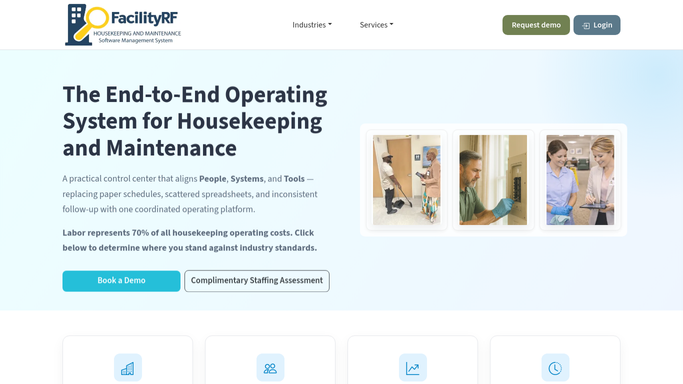
WebRun opens FacilityRF to find turnovers running past target time. - Open FacilityRF's turnover board and compare each in progress clean against your target turnaround time
- Flag any room past target and note the room, unit, assigned housekeeper, and minutes over
- Check whether the delay is tagged with a reason, such as waiting on linen or a maintenance hold
Done when Every turnover past target time is flagged with its room, housekeeper, and minutes over.
-
2
Microsoft Teams - alert the unit and EVS supervisor
microsoft.com How to Automate Microsoft Teams

WebRun opens Microsoft Teams to alert the unit and EVS supervisor. - Post an alert to the unit's Teams channel naming the room, minutes over target, and assigned housekeeper
- Tag the EVS supervisor directly once a turnover is more than double the target time
Done when The unit and supervisor have been alerted to every turnover running behind.
-
3
Google Sheets - log the delay and its reason
google.com How to Automate Google Sheets

WebRun opens Google Sheets to log the delay and its reason. - Open the Bed Turnover Delay Log
- Append a row for each delayed turnover with room, unit, minutes over, and the reason if one is logged
- Update the row once FacilityRF shows the room marked clean and ready
Done when The log has a row for every delayed turnover and its eventual completion time.
How is each run configured?
Secure by default
Connect once, stays signed in
WebRun signs in once and keeps each session in a persistent environment, so every run picks up right where it left off.
Every action is checked against this policy before it runs.
Questions, answered
Does this alert bed control or just EVS?
It posts to the unit's own Teams channel, so both EVS and the unit's bed control contact see the same alert at the same time. No separate patient facing message is sent.
What counts as a delayed turnover?
Any in progress clean that runs past the target turnaround time you set, checked fresh every 5 minutes against live FacilityRF data, so a delay gets flagged within minutes of crossing the line.
How do you track why turnovers keep running long?
Every delayed turnover is logged to a Google Sheet with its reason, when FacilityRF has one on file, such as waiting on linen or a maintenance hold, so EVS leadership can spot the pattern behind the record.
Related templates
Put this on autopilot.
Turn it on in minutes - or have our team set it up for you.