Know which evergreen webinar is earning its place
Every Monday, WebRun opens EverWebinar, reads last week's registrations, live attendance, and replay views for every evergreen session, works out the attendance rate for each, writes a dated scorecard page in Notion showing the trend, and opens a Trello card for any webinar whose numbers say retire it or rerecord it.
- No credit card
- Under $0.01 per run
- Cancel anytime
How do I tell which evergreen webinar is actually worth keeping?
WebRun opens EverWebinar every Monday and reads last week's registrations, live attendance, and replay views for each evergreen session. It writes a dated scorecard into Notion so trends are visible, and opens a Trello review card for any webinar sliding week after week or drawing no registrations at all.
- A sliding webinar is spotted after three weeks, not three quarters
- Attendance rates are recorded weekly without opening a report
- Every weak session gets a review card with an owner
Built for marketers · course creators · demand generation teams · agencies
What does WebRun do on every run?
The exact actions WebRun takes, in order - in plain language, so you can adjust anything.
-
WebRun signs in and gets to work
Opens
everwebinar.comin a real browser with your saved login - no setup, no API keys. -
1
EverWebinar - read last week's registration and attendance
everwebinar.com
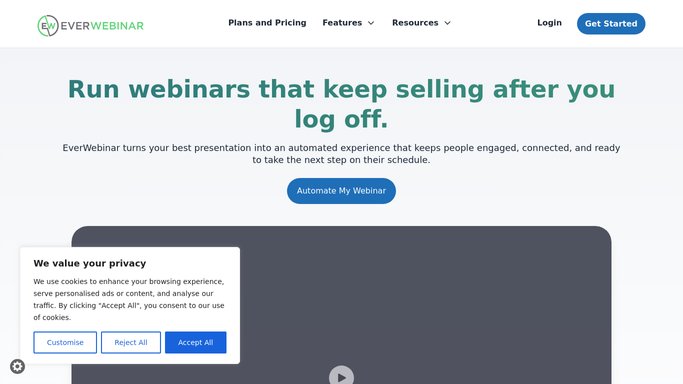
WebRun opens EverWebinar to read last week's registration and attendance. - Open EverWebinar and list every active evergreen webinar
- For each one, read last week's registrants, how many attended live, and how many watched the replay
- Work out the attendance rate as attendees divided by registrants
- Note webinars with registrations but almost no attendance, and webinars with no registrations at all
Done when Every active webinar has last week's registration, attendance, and replay numbers.
-
2
Notion - write the weekly scorecard
notion.so How to Automate Notion

WebRun opens Notion to write the weekly scorecard. - Open the webinar performance page in Notion
- Add a dated row per webinar: registrants, attendees, attendance rate, replay views
- Keep previous weeks in place so a session sliding week after week is visible
- Rank the table so the strongest performer sits at the top
Done when This week's scorecard sits in Notion next to the previous weeks.
-
3
Trello - open a card for the weak sessions
trello.com How to Automate Trello

WebRun opens Trello to open a card for the weak sessions. - Open the marketing board in Trello
- Create a review card for any webinar whose attendance rate fell for three weeks running
- Create a card for any webinar with zero registrations last week so the funnel feeding it gets checked
- Skip webinars that already have an open review card
Done when Every underperforming webinar has a review card waiting on the board.
How is each run configured?
Secure by default
Connect once, stays signed in
WebRun signs in once and keeps each session in a persistent environment, so every run picks up right where it left off.
Every action is checked against this policy before it runs.
Questions, answered
Will it pause or delete a webinar that performs badly?
No. WebRun only reports the numbers and opens a Trello review card. Pausing, retiring, or rerecording a session stays a decision your marketing team makes.
Does it contact registrants who did not attend?
No. It never emails or messages anyone who registered. The output is an internal scorecard in Notion and review cards in Trello for your own team.
How does it decide a webinar is underperforming?
Two plain rules: an attendance rate that has fallen three weeks in a row, or a week with no registrations at all. Both are shown with the underlying numbers so you can judge the call yourself.
Related templates
Put this on autopilot.
Turn it on in minutes - or have our team set it up for you.