Flag unusual refunds in Epos Now before they slip through
Every morning, WebRun opens Epos Now Back Office, reads all refunds processed the previous day, flags any that exceed your configured maximum value, any staff member who processed more refunds than the daily threshold, and any refund with no linked original transaction, then posts a clear summary to Slack for manager review.
- No credit card
- Under $0.01 per run
- Cancel anytime
How do I automatically detect unusual refunds in Epos Now each day?
WebRun reviews every Epos Now refund from the previous day each morning, flags any that exceed your value threshold, any staff member with too many refunds, and any refund with no linked original sale. A clear exception list goes to your Slack manager channel before the store opens, every day.
- Unusual refunds flagged every morning before the next shift starts
- Staff-level refund frequency tracked without manual report-pulling
- Refunds with no linked sale identified automatically, a key fraud signal
Built for retail store managers · Epos Now users · loss prevention teams · hospitality operators
What does WebRun do on every run?
The exact actions WebRun takes, in order - in plain language, so you can adjust anything.
-
WebRun signs in and gets to work
Opens
backoffice.eposnow.comin a real browser with your saved login - no setup, no API keys. -
1
Epos Now - read yesterday's refunds and flag exceptions
eposnow.com How to Automate Epos Now
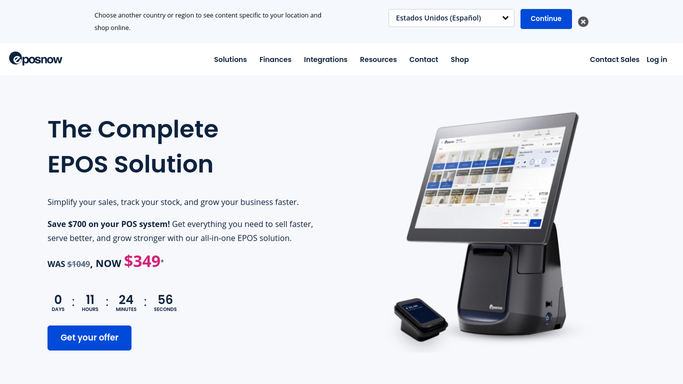
WebRun opens Epos Now to read yesterday's refunds and flag exceptions. - Open Epos Now Back Office and navigate to Reports, then Refunds or Returns
- Filter to yesterday's refund transactions
- Flag any single refund above your maximum value threshold
- Flag any staff member who processed more than your per-day refund count threshold
- Flag any refund with no matching original sale transaction in Epos Now
- Capture refund amount, staff name, time, transaction ID, and reason for each flagged item
Done when All refund exceptions are identified with full transaction detail.
-
2
Slack - post exception report to manager channel
slack.com How to Automate Slack

WebRun opens Slack to post exception report to manager channel. - Format flagged refunds into a clear Slack message for the manager channel
- Group by exception type: high-value, high-frequency by staff, and no linked sale
- Post automatically so managers see the flags before the store opens
Done when Refund exceptions are live in the manager Slack channel, ready for follow-up.
How is each run configured?
Secure by default
Connect once, stays signed in
WebRun signs in once and keeps each session in a persistent environment, so every run picks up right where it left off.
Every action is checked against this policy before it runs.
Questions, answered
Will it reverse or block any refunds automatically?
No. WebRun only flags and reports refund exceptions. Reversing a transaction or taking action with a staff member is always a human decision. The Slack post gives managers the facts to act on.
How does it decide what counts as an exception?
It compares each refund against three rules you configure: a maximum refund value, a maximum daily refund count per staff member, and a check that the refund has a linked original sale. Any breach is flagged.
What if there are no exceptions that day?
WebRun posts a brief all-clear message to the Slack channel so managers know the check ran and nothing was flagged. A clean report is still a report.
Related templates
Put this on autopilot.
Turn it on in minutes - or have our team set it up for you.