Reconcile your Epos Now till and close the day cleanly
Every evening after closing, WebRun opens Epos Now, reads the end-of-day Z-report totals, compares expected cash takings against the till count, flags any variance above your threshold, and appends a clean reconciliation row to your Google Sheets ledger.
- No credit card
- Under $0.01 per run
- Cancel anytime
How do I automatically reconcile my Epos Now till each night?
WebRun reads your Epos Now Z-report every evening, captures total sales by payment type and expected cash in drawer, then appends a reconciliation row to Google Sheets. Any cash variance above your threshold is highlighted automatically, giving you a clean daily ledger without manual data entry.
- Every day's takings logged automatically, no manual data entry
- Cash variances flagged the same evening, before the next shift starts
- Full payment-type breakdown in a searchable Google Sheets ledger
Built for retail store managers · hospitality operators · Epos Now users · multi-location retailers
What does WebRun do on every run?
The exact actions WebRun takes, in order - in plain language, so you can adjust anything.
-
WebRun signs in and gets to work
Opens
backoffice.eposnow.comin a real browser with your saved login - no setup, no API keys. -
1
Epos Now - read Z-report and end-of-day totals
eposnow.com How to Automate Epos Now
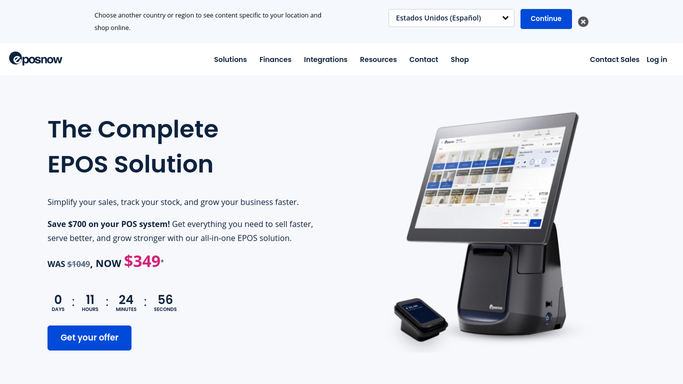
WebRun opens Epos Now to read Z-report and end-of-day totals. - Open Epos Now Back Office and pull the end-of-day Z-report for today
- Capture total sales by payment type: cash, card, and other tenders
- Record expected cash in drawer based on opening float plus cash sales
- Note any voids, refunds, or manual adjustments made during the day
Done when All end-of-day totals and expected cash figure are captured from the Z-report.
-
2
Google Sheets - log reconciliation row and flag variances
google.com How to Automate Google Sheets

WebRun opens Google Sheets to log reconciliation row and flag variances. - Append a new row to the reconciliation sheet with today's date, totals, and payment breakdown
- Calculate the variance between expected and actual cash
- Highlight any row where the variance exceeds your set threshold in red for follow-up
Done when Today's reconciliation row is logged in Google Sheets with variance flagged if over threshold.
How is each run configured?
Secure by default
Connect once, stays signed in
WebRun signs in once and keeps each session in a persistent environment, so every run picks up right where it left off.
Every action is checked against this policy before it runs.
Questions, answered
Will it flag a discrepancy automatically?
Yes. WebRun calculates expected cash from the float and cash sales total, compares it to the entered actual count, and highlights any row where the variance exceeds your configured threshold. You review it in the morning.
What if the till count has not been entered yet?
WebRun reads the Z-report data available at run time. If no count has been entered, it logs expected cash only and marks the actual column as pending so you know to follow up.
Can it cover more than one register or location?
Yes. WebRun can pull Z-report data for multiple terminals and log each as a separate row, making multi-register or multi-location reconciliation easy to review in one sheet.
Related templates
Put this on autopilot.
Turn it on in minutes - or have our team set it up for you.