Get alerted when Epos Now stock falls below reorder level
Every morning, WebRun opens Epos Now Back Office, scans every active product against its reorder level, compiles a list of items that have hit or fallen below that threshold, and sends a Telegram message to your team with the products, current stock counts, and reorder quantities.
- No credit card
- Under $0.01 per run
- Cancel anytime
How do I get automatic low-stock alerts from Epos Now?
WebRun scans every active product in Epos Now Back Office each morning, compares current stock against the reorder level you have set, and sends a Telegram alert to your team listing every item that needs ordering. Stock levels come from live Epos Now data, so the list is always current.
- Low-stock items flagged every morning before the buying window closes
- No manual stock checks or spreadsheet updates needed
- Reorder decisions made from current Epos Now data, not last week's counts
Built for retail store owners · Epos Now users · inventory managers · hospitality operators
What does WebRun do on every run?
The exact actions WebRun takes, in order - in plain language, so you can adjust anything.
-
WebRun signs in and gets to work
Opens
backoffice.eposnow.comin a real browser with your saved login - no setup, no API keys. -
1
Epos Now - scan inventory for low-stock products
eposnow.com How to Automate Epos Now
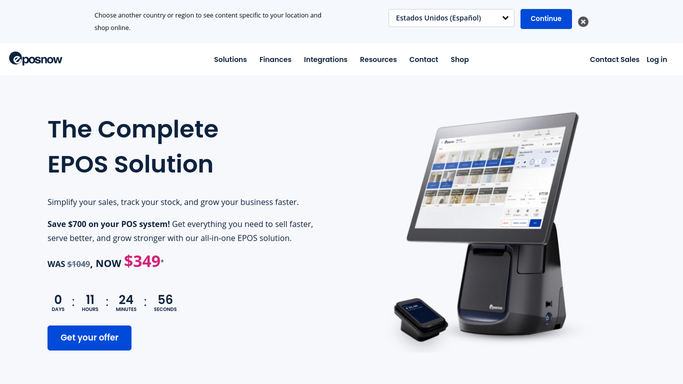
WebRun opens Epos Now to scan inventory for low-stock products. - Open Epos Now Back Office and navigate to Products, then Stock
- Filter the stock list to show items at or below their reorder level
- Capture product name, SKU, current stock quantity, and reorder level for each item
- Skip discontinued or inactive products
Done when All active products at or below reorder level are listed with current counts.
-
2
Telegram - alert team with reorder list
telegram.org How to Automate Telegram

WebRun opens Telegram to alert team with reorder list. - Format the low-stock items into a clear Telegram message grouped by category
- Include product name, current stock, and suggested reorder quantity for each
- Send to the team or buyer Telegram group automatically
Done when Low-stock alert is delivered to the Telegram group before the buying window opens.
How is each run configured?
Secure by default
Connect once, stays signed in
WebRun signs in once and keeps each session in a persistent environment, so every run picks up right where it left off.
Every action is checked against this policy before it runs.
Questions, answered
Does it actually place the reorder with the supplier?
No. WebRun identifies and alerts on low-stock items only. Placing the purchase order with your supplier is a human action, so you review the list and decide what and how much to order.
How does it know the reorder level for each product?
It reads the reorder level set on each product in Epos Now Back Office. If a product has no reorder level set, it is skipped. You can set or update reorder levels in the Products section of Back Office at any time.
Can it check stock across multiple Epos Now locations?
Yes. If your Epos Now account manages multiple sites, WebRun can check stock at each location and report low-stock items per site so you know exactly where to reorder.
Related templates
Put this on autopilot.
Turn it on in minutes - or have our team set it up for you.