Roll out Epos Now price changes safely across all products and locations
When you supply a list of price changes, WebRun opens Epos Now Back Office, finds each product by SKU or name, updates the price to the new value, confirms the change, and logs every completed update to a Google Sheets audit trail with a before-and-after price record.
- No credit card
- Under $0.01 per run
- Cancel anytime
How do I automatically roll out price changes across all products in Epos Now?
WebRun takes your list of price changes, opens Epos Now Back Office, finds each product by SKU, records the old price, updates to the new value, verifies the save, and logs every change to Google Sheets. The audit trail shows before-and-after prices for every product updated, with any errors flagged for review.
- Bulk price changes completed in Epos Now without manual product-by-product editing
- Before-and-after audit trail logged automatically in Google Sheets
- Errors and unfound products flagged immediately so nothing slips through
Built for retail store managers · Epos Now users · pricing managers · multi-location retailers
What does WebRun do on every run?
The exact actions WebRun takes, in order - in plain language, so you can adjust anything.
-
WebRun signs in and gets to work
Opens
backoffice.eposnow.comin a real browser with your saved login - no setup, no API keys. -
1
Epos Now - update each product price in Back Office
eposnow.com How to Automate Epos Now
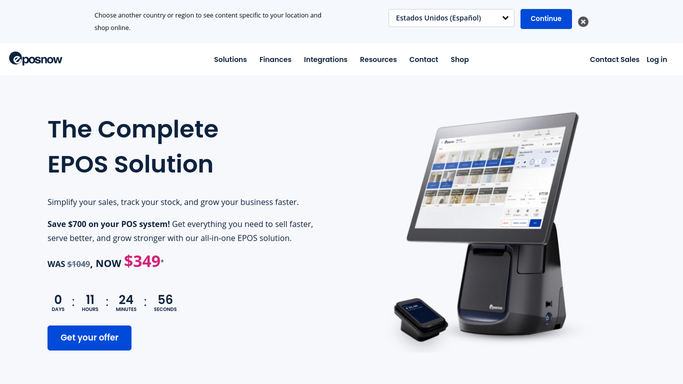
WebRun opens Epos Now to update each product price in Back Office. - Open Epos Now Back Office and navigate to Products
- For each item in the price-change list, search by SKU or product name
- Record the current price before making any change
- Update the price to the new value and save
- Verify the saved price matches the new value before moving to the next product
- Repeat for each product in the list across all applicable locations
Done when Every product in the price-change list has been updated and verified in Epos Now.
-
2
Google Sheets - log before-and-after audit trail for every change
google.com How to Automate Google Sheets

WebRun opens Google Sheets to log before-and-after audit trail for every change. - Append a row for each updated product with the date, SKU, product name, old price, new price, and update status
- Mark any product where the price could not be found or verified as Needs Review
- Add a timestamp and the run ID so changes can be traced back to this run
Done when The audit trail in Google Sheets records every price change with before-and-after values.
How is each run configured?
Secure by default
Connect once, stays signed in
WebRun signs in once and keeps each session in a persistent environment, so every run picks up right where it left off.
Every action is checked against this policy before it runs.
Questions, answered
Can it roll back prices if something goes wrong?
WebRun logs the old price for every product in Google Sheets before making any change. If you need to reverse a rollout, you can supply that log as the input for a rollback run using the before-price column as the new target.
How do I supply the list of price changes?
You provide a Google Sheet or CSV with columns for SKU (or product name) and new price. WebRun reads that list at the start of each run and works through every row in order.
Will it change prices across all my Epos Now locations at once?
Yes. If your Epos Now account manages multiple locations and the price change applies to all of them, WebRun updates each location in turn and logs the result for each site separately in the audit trail.
Related templates
Put this on autopilot.
Turn it on in minutes - or have our team set it up for you.