Triage negative reviews and draft a reply before they damage your reputation
Every morning, WebRun checks your Google Business Profile for new reviews rated 3 stars or below, cross-references the reviewer's visit date against Epos Now transaction data to identify what went wrong, drafts a professional and empathetic reply for each negative review, and sends you a Gmail draft for each reply so you can approve and post it yourself.
- No credit card
- Under $0.01 per run
- Cancel anytime
How do I automatically draft replies to negative reviews for my Epos Now store?
WebRun checks your Google Business Profile every morning for new reviews rated 3 stars or below, looks up the reviewer's visit in Epos Now transaction data for context, and drafts a professional reply to each negative review in Gmail for your approval. No reply is posted publicly until you review and send it yourself.
- Every negative review gets a researched, personalised reply draft the same morning it appears
- No public reply posted without owner review and approval
- Transaction context from Epos Now makes every draft more genuine and specific
Built for retail store owners · Epos Now users · hospitality operators · local business managers
What does WebRun do on every run?
The exact actions WebRun takes, in order - in plain language, so you can adjust anything.
-
WebRun signs in and gets to work
Opens
backoffice.eposnow.comin a real browser with your saved login - no setup, no API keys. -
1
Google Sheets - log new negative reviews from Google Business Profile
google.com How to Automate Google Sheets

WebRun opens Google Sheets to log new negative reviews from Google Business Profile. - Open your Google Reviews tracking sheet and check for any new reviews rated 3 stars or below since the last run
- Capture reviewer name, rating, review text, and date posted for each new negative review
- Flag reviews that mention specific products, staff names, or service failures for closer investigation
Done when All new negative reviews are logged with reviewer details and flagged issues.
-
2
Epos Now - cross-reference reviewer visit in transaction data
eposnow.com How to Automate Epos Now
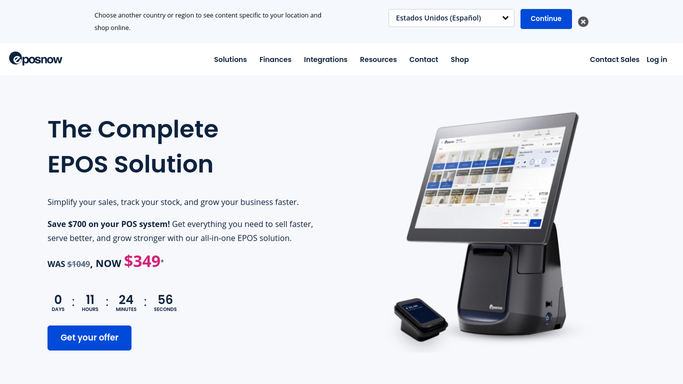
WebRun opens Epos Now to cross-reference reviewer visit in transaction data. - Look up the reviewer's visit date in Epos Now transaction data if a date or detail is mentioned in the review
- Identify the transaction, products purchased, and whether any refund or complaint was already logged
- Note any relevant context that would help personalise the reply
Done when Relevant transaction context from Epos Now is captured for each review where a match is possible.
-
3
Gmail - draft professional reply for owner approval
gmail.com How to Automate Gmail

WebRun opens Gmail to draft professional reply for owner approval. - Draft a professional, empathetic reply to each negative review that acknowledges the experience and offers to resolve it
- Reference any specific detail from the review or transaction to show the reply is genuine
- Save every reply as a Gmail draft for owner review. Do not post any reply publicly without your approval
Done when Professional reply drafts are saved in Gmail for every new negative review, none posted publicly.
How is each run configured?
Secure by default
Connect once, stays signed in
WebRun signs in once and keeps each session in a persistent environment, so every run picks up right where it left off.
Every action is checked against this policy before it runs.
Questions, answered
Will it post a reply to the review without my approval?
No. Every reply is saved as a Gmail draft only. Posting a public review reply is an irreversible action, so WebRun never does it on its own. You read each draft and post it yourself when you are happy with the wording.
How does it know what to say in the reply?
It reads the review text, checks the reviewer's visit date against Epos Now transaction data, and drafts a reply that acknowledges the specific experience. The more detail the reviewer provides, the more personalised the draft.
Does it handle positive reviews too?
This workflow focuses on negative reviews (3 stars and below) because those need the fastest and most careful response. Positive review monitoring and reply drafting can be added as a separate workflow.
Related templates
Put this on autopilot.
Turn it on in minutes - or have our team set it up for you.