Keep your OSHA 300 log reconciled with every recordable case
Every month, WebRun opens Enterprise Health, pulls every case marked OSHA recordable, checks each one against the existing OSHA 300 log in Google Sheets, and posts the safety officer a Slack digest of any case that is missing, duplicated, or logged with mismatched details.
- No credit card
- Under $0.01 per run
- Cancel anytime
How do I automatically reconcile the OSHA 300 log with recordable cases?
WebRun reconciles your OSHA 300 log every month. It pulls every OSHA recordable case from Enterprise Health, matches it against the existing log in Google Sheets, and posts the safety officer a Slack digest of any case that is missing, duplicated, or mismatched on classification or days away, so the log stays audit ready year round.
- No recordable case goes missing from the OSHA 300 log unnoticed
- Reclassified cases get caught even if the log was never updated
- Safety officer gets one monthly digest instead of a manual cross check
Built for hospital safety officers · employee health departments · workers compensation coordinators · OSHA recordkeeping administrators
What does WebRun do on every run?
The exact actions WebRun takes, in order - in plain language, so you can adjust anything.
-
WebRun signs in and gets to work
Opens
www.enterprisehealth.comin a real browser with your saved login - no setup, no API keys. -
1
Enterprise Health - pull recordable injury and illness cases
enterprisehealth.com How to Automate Enterprise Health
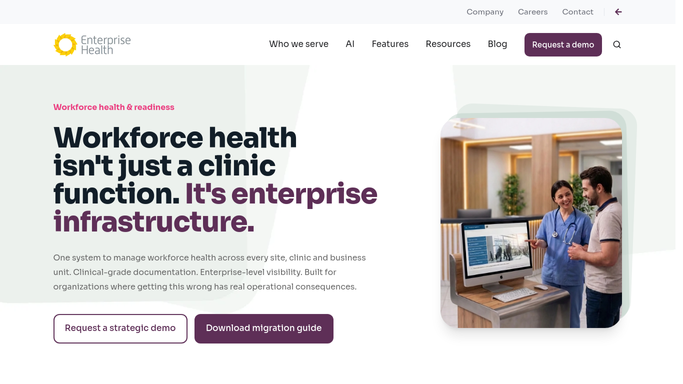
WebRun opens Enterprise Health to pull recordable injury and illness cases. - Open Enterprise Health and pull every case marked OSHA recordable for the log year
- Capture the employee, case number, injury type, days away or restricted, and classification
- Note any case updated or reclassified since the last reconciliation
Done when Every OSHA recordable case for the year is captured with its current details.
-
2
Google Sheets - reconcile against the OSHA 300 log
google.com How to Automate Google Sheets

WebRun opens Google Sheets to reconcile against the OSHA 300 log. - Open the OSHA 300 log spreadsheet
- Match each Enterprise Health case to its existing log row by case number
- Flag any case with no matching row, a duplicate row, or a mismatched classification or days count
Done when Every recordable case is matched, added, or flagged against the OSHA 300 log.
-
3
Slack - flag missing or mismatched cases
slack.com How to Automate Slack

WebRun opens Slack to flag missing or mismatched cases. - Post the safety officer a digest of cases missing from the log, duplicated, or mismatched
- Include the case number and what specifically does not match
- Note the total recordable count against last month's total
Done when The safety officer has this month's reconciliation digest in Slack.
How is each run configured?
Secure by default
Connect once, stays signed in
WebRun signs in once and keeps each session in a persistent environment, so every run picks up right where it left off.
Every action is checked against this policy before it runs.
Questions, answered
Does it file or submit the OSHA 300 log anywhere?
No. It only reconciles the log inside your own Google Sheet and flags discrepancies in Slack. Any official posting or electronic submission to OSHA stays a manual, human decision.
What counts as a mismatch?
A case is flagged when its Enterprise Health record and its OSHA 300 log row disagree on classification, days away or restricted, or case details, or when a recordable case has no log row at all.
Does it catch cases that were reclassified after the fact?
Yes. Every run rechecks the full year's recordable cases, so a case reclassified after its first entry gets flagged if the log row was never updated to match.
Related templates
Put this on autopilot.
Turn it on in minutes - or have our team set it up for you.