Remind staff before their immunizations lapse
Every morning, WebRun opens Enterprise Health, finds staff immunizations such as Hepatitis B, MMR, varicella, Tdap, and flu due or overdue within 30 days, drafts a personal reminder email for each employee in Outlook for the clinic to review, and posts the occupational health team a Slack digest of who still needs a dose.
- No credit card
- Under $0.01 per run
- Cancel anytime
How do I automatically remind hospital staff before their immunizations lapse?
WebRun checks Enterprise Health every morning for staff immunizations due or overdue within 30 days, drafts a personal reminder email for each employee in Outlook, and posts the occupational health team a Slack worklist grouped by department. Clinic staff review and send the drafts, so reminders stay accurate and no immunization lapses unnoticed.
- No staff immunization lapses without a 30 day advance reminder
- Occupational health opens Slack to a ready sorted worklist every morning
- Clinic staff approve every reminder before it reaches an employee's inbox
Built for hospital employee health clinics · occupational health nurses · infection prevention teams · HR health compliance staff
What does WebRun do on every run?
The exact actions WebRun takes, in order - in plain language, so you can adjust anything.
-
WebRun signs in and gets to work
Opens
www.enterprisehealth.comin a real browser with your saved login - no setup, no API keys. -
1
Enterprise Health - find immunizations due or overdue
enterprisehealth.com How to Automate Enterprise Health
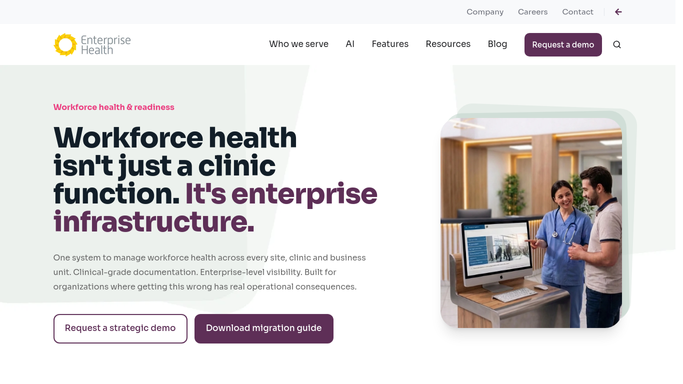
WebRun opens Enterprise Health to find immunizations due or overdue. - Open Enterprise Health and filter the immunization module to due or overdue records
- Capture each employee's name, vaccine type, department, and days overdue
- Exclude anyone with a documented medical or religious exemption on file
Done when Every staff member due or overdue for an immunization within 30 days is listed with its details.
-
2
Outlook - draft personal reminder emails
microsoft.com How to Automate Outlook

WebRun opens Outlook to draft personal reminder emails. - Draft a personal reminder email for each employee naming the vaccine and where to get it
- Leave every draft unsent in the occupational health mailbox for review
- Never send a reminder without clinic staff approving it first
Done when A review ready draft reminder exists in Outlook for every due or overdue employee.
-
3
Slack - post the team worklist
slack.com How to Automate Slack

WebRun opens Slack to post the team worklist. - Post the occupational health team a daily worklist of who is due or overdue
- Group the list by department and flag anyone overdue more than 14 days
- Note how many drafts are waiting for review in Outlook
Done when The occupational health team has today's immunization worklist in Slack.
How is each run configured?
Secure by default
Connect once, stays signed in
WebRun signs in once and keeps each session in a persistent environment, so every run picks up right where it left off.
Every action is checked against this policy before it runs.
Questions, answered
Will it email staff about their immunizations without approval?
No. Every reminder is drafted in Outlook and left unsent until occupational health staff review and send it, so no employee health notice goes out without a human checking it first.
Which immunizations does it track?
It tracks every immunization recorded in Enterprise Health, including Hepatitis B, MMR, varicella, Tdap, and annual flu, along with any custom vaccine series your clinic has configured.
What happens once an employee gets their shot?
Enterprise Health updates the immunization record as soon as it is entered, so that employee drops off the next morning's list automatically.
Related templates
Put this on autopilot.
Turn it on in minutes - or have our team set it up for you.