Alert the lab when a tank is due for a nitrogen fill
Every morning, WebRun reads the cryostorage fill records in nAbleIVF, works out from each tank's last fill and interval which tanks are due or overdue for a liquid nitrogen top-up, books the fills on a shared Google Calendar, and posts the day's fill list to Slack so the lab keeps every tank on schedule.
- No credit card
- Under $0.01 per run
- Cancel anytime
How do I automatically schedule and track liquid nitrogen fills for IVF cryotanks?
WebRun reads each cryotank's fill record in nAbleIVF every morning and works out which tanks are due or overdue for a liquid nitrogen top-up. It books the fills on a shared Google Calendar and posts the day's list to Slack with the most overdue tanks first, so the lab keeps every tank on its schedule and nothing drifts unnoticed.
- No tank drifts past its fill interval unnoticed
- Overdue tanks sit at the top of the list every morning
- Fills land on a shared calendar the whole lab can see
Built for IVF embryology labs · cryostorage technicians · lab facilities teams · reproductive tissue banks
What does WebRun do on every run?
The exact actions WebRun takes, in order - in plain language, so you can adjust anything.
-
WebRun signs in and gets to work
Opens
www.nableivf.comin a real browser with your saved login - no setup, no API keys. -
1
nAbleIVF - read tank fill records
nableivf.com How to Automate nAbleIVF
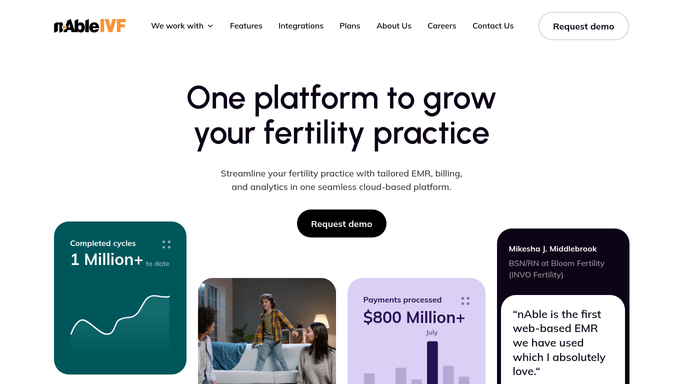
WebRun opens nAbleIVF to read tank fill records. - Open nAbleIVF and read each cryotank's last fill date and its fill interval
- Work out which tanks are due today or already overdue for a nitrogen top-up
- Capture the tank identifier, days since last fill, and how many days overdue where relevant
- Rank the list so the most overdue tanks come first
Done when Every tank due or overdue for a fill is identified with its last fill date.
-
2
Google Calendar - book due fills as tasks
calendar.google.com How to Automate Google Calendar

WebRun opens Google Calendar to book due fills as tasks. - Add a fill task to the shared lab calendar for each due or overdue tank
- Title it with the tank identifier and mark overdue tanks clearly
- Skip any tank that already has a fill task on the calendar for today so nothing is duplicated
Done when Every due tank has a fill task on the shared Google Calendar with no duplicates.
-
3
Slack - post today's fill list
slack.com How to Automate Slack

WebRun opens Slack to post today's fill list. - Post today's fill list to the lab Slack channel with the most overdue tanks at the top
- Show days since last fill for each tank so the team can prioritize
- Note that WebRun schedules and reminds only, and the physical fill and its logging stay with staff
Done when The lab has today's tank fill list in Slack.
How is each run configured?
Secure by default
Connect once, stays signed in
WebRun signs in once and keeps each session in a persistent environment, so every run picks up right where it left off.
Every action is checked against this policy before it runs.
Questions, answered
Does it fill the tanks or just schedule them?
It schedules and reminds only. WebRun books the fill tasks and posts the list, but the physical nitrogen top-up and its logging stay with your lab staff. WebRun never changes a tank's stored fill record on its own.
How does it know a tank is due?
It reads each tank's last fill date and its fill interval in nAbleIVF and compares them to today. Any tank past its interval is marked overdue and sorted to the top. You can set a different interval per tank to match its evaporation rate.
Will it double-book a fill on the calendar?
No. Before adding a task, WebRun checks the shared calendar for an existing fill task for that tank today and skips it if one is already there, so the calendar stays clean even if the run repeats.
Related templates
Put this on autopilot.
Turn it on in minutes - or have our team set it up for you.