Fill open instructor slots
Each morning, WebRun opens Acuity Scheduling, finds instructor time slots that are available but unbooked in the next 48 hours, posts a digest to the office Slack channel, and drafts an SMS fill offer for each slot. The texts are left unsent for staff to review and approve before reaching the student waiting list.
- No credit card
- Under $0.01 per run
- Cancel anytime
How do I get alerts for unbooked instructor time at my driving school?
WebRun scans Acuity Scheduling every morning for unbooked instructor time in the next 48 hours, posts a digest to the office Slack channel, and drafts SMS fill offers in Twilio for each open slot. All texts are left for staff to review and approve before sending, so idle instructor time is surfaced and actioned quickly.
- Open instructor slots are spotted each morning before the day is underway
- Staff receive a clear digest in Slack without checking Acuity manually
- Fill offers are drafted and ready to send within minutes of the daily run
Built for driving school owners · driving school schedulers · multi-instructor driving schools · driving school admin staff
What does WebRun do on every run?
The exact actions WebRun takes, in order - in plain language, so you can adjust anything.
-
WebRun signs in and gets to work
Opens
acuityscheduling.comin a real browser with your saved login - no setup, no API keys. -
1
Acuity Scheduling - find unbooked instructor slots
acuityscheduling.com How to Automate Acuity Scheduling
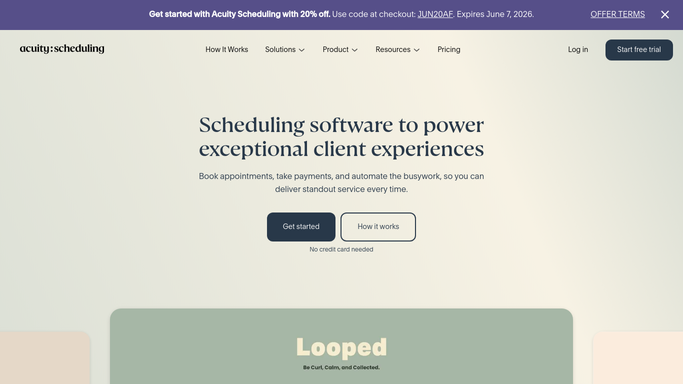
WebRun opens Acuity Scheduling to find unbooked instructor slots. - Open Acuity Scheduling and view the instructor calendars for the next 48 hours
- Find time slots that are marked available but have no booking
- Note the instructor name, slot date, start time, and duration for each open slot
Done when Every unbooked instructor slot in the next 48 hours is listed with its details.
-
2
Slack - alert the office with open times
slack.com How to Automate Slack

WebRun opens Slack to alert the office with open times. - Post a digest of open slots to the office Slack channel, grouped by instructor
- List the date, time, and duration of each open slot
- Flag slots opening within 24 hours so staff can prioritise them
Done when The office has a clear view of open instructor time in Slack.
-
3
Twilio - draft fill offers for approval
twilio.com How to Automate Twilio

WebRun opens Twilio to draft fill offers for approval. - Draft an SMS fill offer for each open slot, mentioning the date, time, and instructor
- Save each message as a draft in Twilio, not yet sent
- Leave drafts in the review queue for staff to approve before sending to the waiting list
Done when One draft fill offer exists in Twilio for each open slot. None have been sent.
How is each run configured?
Secure by default
Connect once, stays signed in
WebRun signs in once and keeps each session in a persistent environment, so every run picks up right where it left off.
Every action is checked against this policy before it runs.
Questions, answered
Will it text students about open slots without my approval?
No. WebRun drafts the fill offer in Twilio and leaves it unsent. A staff member reviews and approves each message before it goes to any student on the waiting list.
How far ahead does it look for open slots?
By default it scans the next 48 hours each morning. Slots further out are not flagged, keeping the digest focused on time your team can realistically fill today or tomorrow.
What if a slot gets booked after the draft is prepared?
WebRun reads live Acuity Scheduling data each run. Staff should glance at Acuity before approving a Twilio draft to confirm the slot is still open.
Related templates
Put this on autopilot.
Turn it on in minutes - or have our team set it up for you.