Build your reputation one completed detail at a time
Each evening, WebRun opens Urable, finds every job completed that day, drafts a personalised review request SMS or email for each customer, queues those messages for your review, and posts a daily completion count to Slack so you can track how many review requests went out.
- No credit card
- Under $0.01 per run
- Cancel anytime
How do I automatically ask auto detailing customers for reviews after their service?
WebRun opens Urable each evening and finds every job completed that day. It drafts a personalised review request SMS via Twilio and an email via Gmail for each customer, both queued for your approval before sending. A Slack summary shows how many review requests are in the pipeline, helping you build a steady flow of five-star ratings.
- Every completed service becomes a review request while the car is still gleaming
- Repeat customers are not pestered with a 90-day cooldown applied automatically
- Team tracks the weekly review pipeline in a single Slack message
Built for auto detailing shops · ceramic coating studios · mobile detailers · car care businesses
What does WebRun do on every run?
The exact actions WebRun takes, in order - in plain language, so you can adjust anything.
-
WebRun signs in and gets to work
Opens
app.urable.comin a real browser with your saved login - no setup, no API keys. -
1
Urable - find completed jobs today
urable.com How to Automate Urable
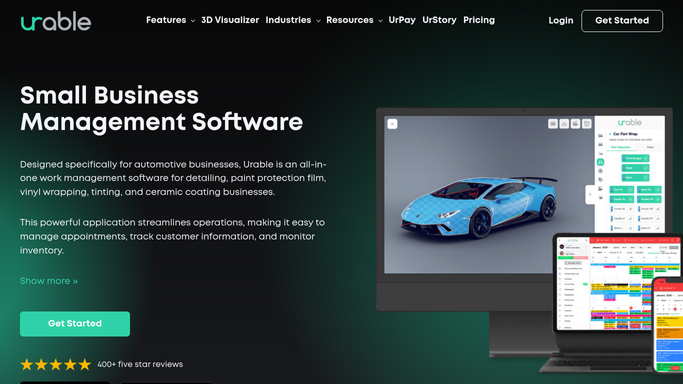
WebRun opens Urable to find completed jobs today. - Open Urable and filter jobs to completed status for today
- Capture customer name, service performed, vehicle, and contact details
- Exclude any customer who received a review request within the last 90 days to avoid repeat asks
- Note high-value services such as ceramic coating for a more personalised request
Done when Every customer whose job was completed today is listed and eligible for a review request.
-
2
Twilio - draft review request SMS for review
twilio.com How to Automate Twilio

WebRun opens Twilio to draft review request SMS for review. - Draft a short, warm thank-you SMS for each customer with a mobile number
- Include a direct link to your Google Business Profile or preferred review platform
- Personalise with the service name and vehicle where possible
- Queue as a draft for your approval before sending
- Never send automatically without human review
Done when Review request SMS drafts are queued for every eligible customer with a mobile number.
-
3
Gmail - draft review request email for review
gmail.com How to Automate Gmail

WebRun opens Gmail to draft review request email for review. - Draft a slightly longer thank-you email for customers who prefer email contact
- Thank them by name, reference the service performed, and include the review link prominently
- Save as a Gmail draft for your review before sending
- Never send automatically without human review
Done when Review request email drafts are saved in Gmail for every eligible email-preference customer.
-
4
Slack - post daily completion summary
slack.com How to Automate Slack

WebRun opens Slack to post daily completion summary. - Post an end-of-day summary to your team channel with the number of jobs completed and review requests queued
- List any high-value or repeat customers who completed a service today
- Track a running weekly total so you can see how many reviews are in the pipeline
Done when Team has an end-of-day review pipeline summary in Slack.
How is each run configured?
Secure by default
Connect once, stays signed in
WebRun signs in once and keeps each session in a persistent environment, so every run picks up right where it left off.
Every action is checked against this policy before it runs.
Questions, answered
Will it send review requests to customers without my approval?
No. Every review request message is drafted and queued for your review first. You approve and send each one, so you can personalise the message or decide to hold it back.
How does it avoid pestering customers who have already left a review?
It applies a 90-day cooldown in Urable so customers who received a review request recently are automatically skipped, keeping your outreach from feeling spammy.
Which review platforms does it link to?
You configure the review link once during setup. It can point to Google Business Profile, Yelp, Facebook, or any other URL you choose.
Related templates
Put this on autopilot.
Turn it on in minutes - or have our team set it up for you.