Reconcile Deel contractor payments for you
Every Monday, WebRun opens Deel, matches each contractor's approved invoice and timesheet against the upcoming payment run, flags any mismatch in amount or missing approval, and posts the reconciliation to Slack for finance and Telegram for the People Ops team.
- No credit card
- Under $0.01 per run
- Cancel anytime
How do I reconcile Deel contractor payments before each run?
WebRun reconciles your Deel contractor payments every Monday. It matches each contractor's approved invoice and timesheet against the upcoming payment run, flags mismatches in amount or missing approvals, and posts the summary to Slack for finance and Telegram for People Ops, so no discrepancy reaches the actual payment run.
- Payment mismatches get caught before the run, not after
- Finance gets a clean or flagged status every Monday
- People Ops stays informed without pulling a manual report
Built for Finance teams · People Ops · global payroll admins · contractor management
What does WebRun do on every run?
The exact actions WebRun takes, in order - in plain language, so you can adjust anything.
-
WebRun signs in and gets to work
Opens
app.deel.comin a real browser with your saved login - no setup, no API keys. -
1
Deel - match invoices to the payment run
deel.com
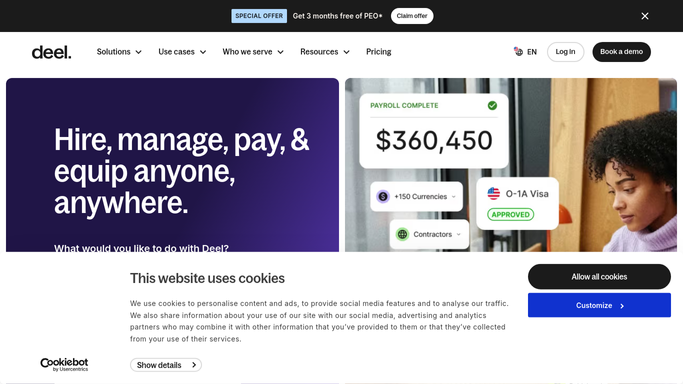
WebRun opens Deel to match invoices to the payment run. - Open Deel and list contractors scheduled for this payment run
- Match each approved invoice or timesheet to its expected amount
- Flag mismatches, missing approvals, or duplicate submissions
Done when Every contractor in the run is matched or flagged as a mismatch.
-
2
Slack - alert finance to mismatches
slack.com How to Automate Slack

WebRun opens Slack to alert finance to mismatches. - Post the mismatch list to the finance channel with the contractor and the discrepancy
- Mark the run clean if there are zero mismatches
Done when Finance has today's mismatch list before releasing the payment run.
-
3
Telegram - update People Ops
telegram.org How to Automate Telegram

WebRun opens Telegram to update People Ops. - Send People Ops a short summary of contractors matched and any flagged for review
Done when People Ops has visibility into the run status.
How is each run configured?
Secure by default
Connect once, stays signed in
WebRun signs in once and keeps each session in a persistent environment, so every run picks up right where it left off.
Every action is checked against this policy before it runs.
Questions, answered
Does WebRun release or approve contractor payments?
No. It only matches invoices to the expected run and reports mismatches. Releasing payment always stays a manual step for finance inside Deel.
What counts as a mismatch?
An invoice amount that doesn't match the approved timesheet, a missing approval, or a duplicate submission for the same period.
How is this different from Deel's own reports?
WebRun runs the check automatically every Monday and pushes the result straight into Slack and Telegram, so no one has to log in and pull a report to catch a mismatch.
Related templates
Put this on autopilot.
Turn it on in minutes - or have our team set it up for you.