Renew a contractor before their contract runs out
Every Monday, WebRun opens Deel, lists the contracts ending in the next sixty days along with any still waiting to be signed, downloads a copy of each active contract into a Google Drive folder organised by worker, and sends the people team a WhatsApp list showing who needs renewing, who has not signed, and how many days are left on each.
- No credit card
- Under $0.01 per run
- Cancel anytime
How do I keep track of contractor contracts that are about to expire?
WebRun watches your contractor agreements every Monday. It lists the Deel contracts ending within sixty days and any still unsigned, files a current copy of each in Google Drive by worker, and sends the people team a WhatsApp renewal list showing the days remaining on every contract.
- No contract lapses without somebody being warned
- Signed paperwork is filed by worker without manual downloads
- Unsigned agreements surface before the start date arrives
Built for people teams · HR managers · operations leads · companies with remote contractors
What does WebRun do on every run?
The exact actions WebRun takes, in order - in plain language, so you can adjust anything.
-
WebRun signs in and gets to work
Opens
app.deel.comin a real browser with your saved login - no setup, no API keys. -
1
Deel - list contracts ending or unsigned
deel.com
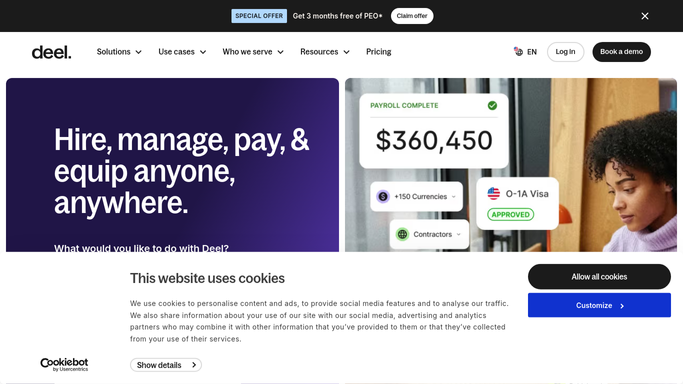
WebRun opens Deel to list contracts ending or unsigned. - Open Deel and go to the contracts list
- Filter to contracts with an end date inside the next 60 days
- Add any contract still showing as awaiting signature, however far away its start date is
- Record the worker, contract type, country, rate, end date, and days remaining on each
Done when Every contract ending soon or unsigned is listed with its worker and days remaining.
-
2
Google Drive - file a copy of each contract
drive.google.com How to Automate Google Drive

WebRun opens Google Drive to file a copy of each contract. - Open the contracts folder in Drive
- Create or reuse a subfolder per worker
- Save a copy of the current signed contract for each worker on the list, named with the worker and the end date
- Skip any contract already filed with the same version so nothing is duplicated
Done when Every contract on the list has a current copy filed in Drive.
-
3
WhatsApp - send the people team the renewal list
whatsapp.com How to Automate WhatsApp

WebRun opens WhatsApp to send the people team the renewal list. - Post the renewal list to the internal people team group
- Split it into contracts ending in 30 days, contracts ending in 60 days, and contracts still unsigned
- Show the worker, the days remaining, and a link to the filed copy
- Keep it internal. WebRun never messages a contractor and never issues, amends, or ends a contract
Done when The people team has this week's renewal list.
How is each run configured?
Secure by default
Connect once, stays signed in
WebRun signs in once and keeps each session in a persistent environment, so every run picks up right where it left off.
Every action is checked against this policy before it runs.
Questions, answered
Will it renew or end a contract on its own?
No. WebRun never creates, amends, renews, or terminates a contract in Deel, and it never messages a contractor. It builds the list and a person decides what happens next.
Does it pay anyone?
No. It does not run payroll, approve an invoice, or release a payment. This workflow only reads contract dates and files copies of the paperwork.
Who can see the filed contracts?
Only the people who already have access to your Google Drive folder. WebRun saves the copy into the folder you nominate and changes no sharing settings on it.
Related templates
Put this on autopilot.
Turn it on in minutes - or have our team set it up for you.