Digest Darwinbox attendance and leave daily
Every morning, WebRun opens Darwinbox, compiles today's attendance, late clock ins, and approved leave by team, posts a Slack summary for managers, and sends regional HR a Telegram digest so everyone starts the day knowing who's in.
- No credit card
- Under $0.01 per run
- Cancel anytime
How do I get a daily Darwinbox attendance summary?
WebRun digests Darwinbox attendance every morning. It compiles today's clock ins, late arrivals, and approved leave by team, posts a Slack summary for managers, and sends regional HR a Telegram rollup, so every team starts the day with a clear view of who's in without opening Darwinbox directly.
- Managers start the day knowing who's in without logging into Darwinbox
- Regional HR gets one rollup instead of checking each location
- Unusual absence patterns get flagged the same morning
Built for People managers · regional HR teams · workforce operations
What does WebRun do on every run?
The exact actions WebRun takes, in order - in plain language, so you can adjust anything.
-
WebRun signs in and gets to work
Opens
darwinbox.comin a real browser with your saved login - no setup, no API keys. -
1
Darwinbox - compile today's attendance
darwinbox.com
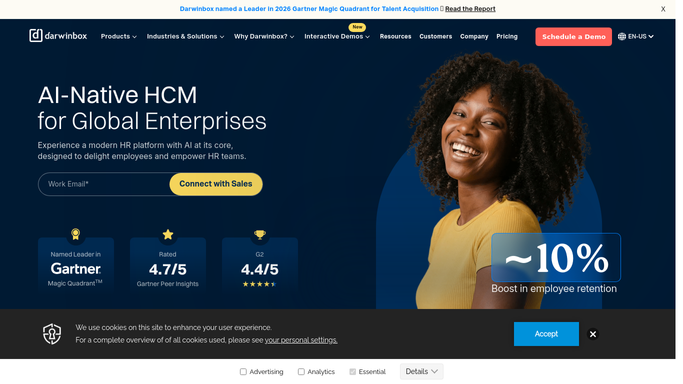
WebRun opens Darwinbox to compile today's attendance. - Open Darwinbox and pull today's attendance and clock in data
- List approved leave for the day
- Flag late clock ins past the grace period
Done when Today's attendance, leave, and late arrivals are captured by team.
-
2
Slack - summarize for managers
slack.com How to Automate Slack

WebRun opens Slack to summarize for managers. - Post each manager their team's attendance summary for today
- Highlight anyone late or on leave
Done when Every manager has today's attendance summary in Slack.
-
3
Telegram - digest for regional HR
telegram.org How to Automate Telegram

WebRun opens Telegram to digest for regional HR. - Send regional HR a rollup of attendance across all teams
- Flag any location with unusual absence levels
Done when Regional HR has today's rollup in Telegram.
How is each run configured?
Secure by default
Connect once, stays signed in
WebRun signs in once and keeps each session in a persistent environment, so every run picks up right where it left off.
Every action is checked against this policy before it runs.
Questions, answered
Does WebRun mark attendance or approve leave?
No. It only reads what's already recorded in Darwinbox. Marking attendance or approving leave always stays a manual step for the employee or manager.
Does it contact employees who are late?
No. The digest goes to managers and regional HR only. WebRun never messages an individual employee about their attendance.
How current is the data?
It pulls the live attendance and leave status each morning, so the digest reflects the current day, not a stale snapshot.
Related templates
Put this on autopilot.
Turn it on in minutes - or have our team set it up for you.