Get a weekly scorecard of your DailyPay usage
Every Monday, WebRun opens DailyPay, checks how many employees accessed pay early last week and the total amount accessed, logs the weekly totals to Airtable, and posts a usage scorecard to Notion so your HR and payroll team can see the trend at a glance.
- No credit card
- Under $0.01 per run
- Cancel anytime
How do I track weekly DailyPay usage across my employees?
WebRun checks DailyPay every Monday for last week's on demand pay usage across your employees, logs the totals to Airtable, and posts a usage scorecard to Notion. It never releases wages itself, so your HR and payroll team gets a clear weekly read on adoption and total amount accessed without pulling the report by hand.
- Weekly usage lands in Notion without pulling a manual report
- Adoption trends build automatically in a running Airtable log
- HR gets a clear read without logging into DailyPay directly
Built for HR teams · payroll managers · people operations · employers offering earned wage access
What does WebRun do on every run?
The exact actions WebRun takes, in order - in plain language, so you can adjust anything.
-
WebRun signs in and gets to work
Opens
www.dailypay.comin a real browser with your saved login - no setup, no API keys. -
1
DailyPay - check weekly pay access usage
dailypay.com
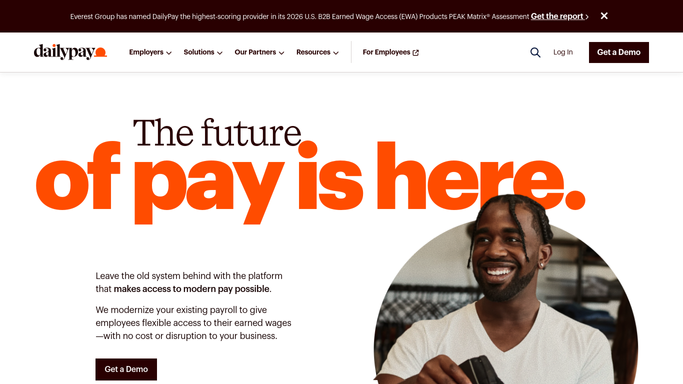
WebRun opens DailyPay to check weekly pay access usage. - Open the DailyPay employer dashboard and check last week's usage
- Note how many employees accessed pay early and the total amount
- Compare the totals against the week before
Done when Last week's usage totals are captured and compared to the prior week.
-
2
Airtable - log the weekly totals
airtable.com How to Automate Airtable

WebRun opens Airtable to log the weekly totals. - Add a row with this week's employee count and total amount accessed
- Include the change versus last week
- Keep prior weeks' rows untouched
Done when This week's totals are logged as a row in Airtable.
-
3
Notion - post the usage scorecard
notion.so How to Automate Notion

WebRun opens Notion to post the usage scorecard. - Post the employee count and total amount accessed for the week
- Note the trend versus the prior week
- Link to Airtable for the full history
Done when Notion has this week's DailyPay usage scorecard.
How is each run configured?
Secure by default
Connect once, stays signed in
WebRun signs in once and keeps each session in a persistent environment, so every run picks up right where it left off.
Every action is checked against this policy before it runs.
Questions, answered
Will it release earned wages to employees itself?
No. WebRun never sends a payment, issues a refund, or transfers funds on its own. It only reads usage totals already processed in DailyPay and reports on them.
Does it show which employees used it?
The scorecard reports the aggregate employee count and total amount, keeping individual usage detail inside DailyPay's own reporting.
Can I see how usage has trended over time?
Yes. Each Monday adds a new row to the same Airtable base, so the full history builds into a usage trend your HR team can review.
Related templates
Put this on autopilot.
Turn it on in minutes - or have our team set it up for you.