Tell the team the moment the main branch goes red
Every few minutes, WebRun opens Cypress Cloud, checks the latest run on your main branch, and when it is failing posts the failing specs, the error, and the commit behind it to Slack, then drafts a Gmail note to the commit author that you can send with one click.
- No credit card
- Under $0.01 per run
- Cancel anytime
How do I get alerted the moment my main branch test run fails?
WebRun watches your main branch in Cypress Cloud every few minutes. When the latest run fails it captures the failing specs, the first error, and the commit behind it, posts the alert to Slack, and drafts a Gmail note to the author, so a red main branch is known within minutes.
- A red main branch is known within minutes, not at standup
- The alert carries the failing specs and the commit, so triage starts immediately
- One message per failing run, so the channel stays readable
Built for engineering teams · QA engineers · platform teams · startup dev teams
What does WebRun do on every run?
The exact actions WebRun takes, in order - in plain language, so you can adjust anything.
-
WebRun signs in and gets to work
Opens
cloud.cypress.ioin a real browser with your saved login - no setup, no API keys. -
1
Cypress Cloud - check the latest main-branch run
cypress.io
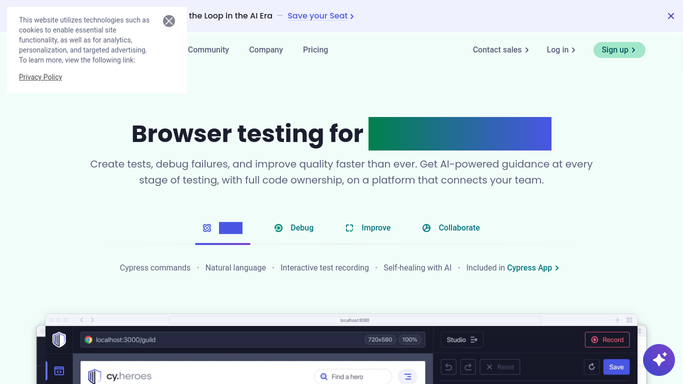
WebRun opens Cypress Cloud to check the latest main-branch run. - Open Cypress Cloud and go to the project's latest runs
- Filter to the main branch and read the status of the most recent completed run
- When it failed, capture the failing specs, the failing test names, and the first error message
- Note the commit hash, its author, and the run link
- Skip a run already alerted on, and ignore runs still in progress
Done when The latest main-branch run is confirmed green or captured as failing with its specs.
-
2
Slack - alert the engineer on duty
slack.com How to Automate Slack

WebRun opens Slack to alert the engineer on duty. - Post the engineering channel a short alert naming the failing specs and the test count
- Include the first error message, the commit hash, and the author
- Link straight to the run in Cypress Cloud
- Post nothing when the run is green, so the channel stays quiet while main is healthy
Done when The team has the failure with its specs and commit in Slack.
-
3
Gmail - draft a note to the commit author
gmail.com How to Automate Gmail

WebRun opens Gmail to draft a note to the commit author. - Draft a short note to the commit author with the failing specs and the run link
- Keep the tone factual: what failed, on which commit, and where to look
- Leave the message as a draft. Never send it automatically
- Skip the draft when the same commit already has one waiting
Done when A ready-to-send note sits in your drafts for the commit author.
How is each run configured?
Secure by default
Connect once, stays signed in
WebRun signs in once and keeps each session in a persistent environment, so every run picks up right where it left off.
Every action is checked against this policy before it runs.
Questions, answered
Will it email the commit author without me?
No. The note to the author is left as a Gmail draft for you to review and send. Only the internal Slack alert posts on its own.
Will it spam the channel while main stays red?
No. Each failing run is alerted once. A run already reported is skipped on the next check, so a long-running failure produces one message, not one every few minutes.
Can it re-run or fix the failing tests?
No. WebRun reads Cypress Cloud and reports. It never triggers a run, changes a spec, or touches your repository, so the fix stays with the engineer.
Related templates
Put this on autopilot.
Turn it on in minutes - or have our team set it up for you.