Catch a new Airbrake error spike the moment it starts
Every few minutes, WebRun checks Airbrake for error groups whose occurrence rate has spiked well above their normal baseline, texts the on-call engineer with the error type and affected environment, and saves the full error detail to Google Drive for the postmortem.
- No credit card
- Under $0.01 per run
- Cancel anytime
How do I get texted the moment an Airbrake error spikes?
WebRun checks Airbrake every few minutes for error groups whose rate spikes well above their normal baseline, and texts the on-call engineer with the error type and environment the moment it happens. It also saves the full error detail to Google Drive, so the spike is caught within minutes and there is a record ready for the postmortem.
- A new error spike gets a text within minutes instead of surfacing in a weekly report
- The on-call engineer gets exactly the error type and environment, nothing more
- Every spike leaves a saved record for the postmortem automatically
Built for On-call engineering teams · site reliability engineers · backend teams · startups running lean ops
What does WebRun do on every run?
The exact actions WebRun takes, in order - in plain language, so you can adjust anything.
-
WebRun signs in and gets to work
Opens
airbrake.io/loginin a real browser with your saved login - no setup, no API keys. -
1
Airbrake - check for error spikes
airbrake.io
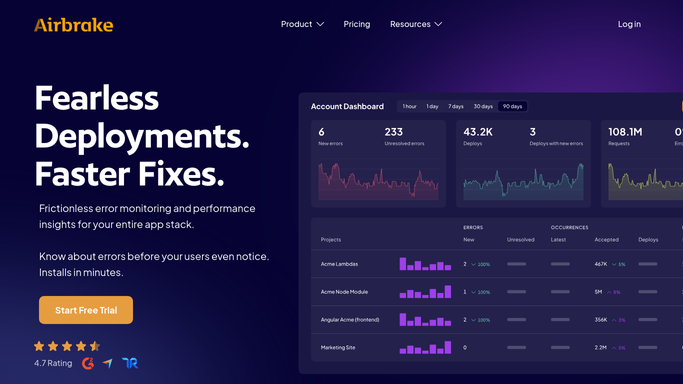
WebRun opens Airbrake to check for error spikes. - Open Airbrake and review error group occurrence rates across watched projects
- Compare each group's rate in the last 15 minutes against its normal baseline
- Flag any group spiking well above baseline, and note the environment and affected endpoint
Done when Every error group spiking above baseline is identified with its environment and endpoint.
-
2
Twilio - text the on-call engineer
twilio.com How to Automate Twilio

WebRun opens Twilio to text the on-call engineer. - Send a text to the on-call engineer for each spiking error group
- Include the error type, the environment, and how far above baseline it is
- Keep the message to a single line
Done when The on-call engineer has been texted about every spiking error group.
-
3
Google Drive - archive the error detail
drive.google.com How to Automate Google Drive

WebRun opens Google Drive to archive the error detail. - Open the Error Spike Records folder in Google Drive
- Save the full error detail, stack trace summary, and occurrence graph for each spike
- Name the file with the error group and the date
Done when A saved record exists in Google Drive for every spike, ready for the postmortem.
How is each run configured?
Secure by default
Connect once, stays signed in
WebRun signs in once and keeps each session in a persistent environment, so every run picks up right where it left off.
Every action is checked against this policy before it runs.
Questions, answered
Will WebRun deploy a fix or roll back a release?
No. It only detects the spike, texts the on-call engineer, and saves a record. Any rollback or fix is a decision made by your team.
What counts as a spike?
An error group whose rate in the last 15 minutes is well above its own recent baseline, so a naturally busy app does not trigger false alarms on its usual error volume.
Does the text go to a customer?
No. The text goes only to your internal on-call engineer. WebRun never contacts your customers about an error.
Related templates
Put this on autopilot.
Turn it on in minutes - or have our team set it up for you.