Get alerted when CurrencyFair hits your rate
Every morning, WebRun opens CurrencyFair, checks the market rate for your currency pair against the target rate you set, logs the result to a running Airtable rate watch, and updates a Notion alert page whenever the rate reaches or beats your target.
- No credit card
- Under $0.01 per run
- Cancel anytime
How do I get alerted when CurrencyFair reaches my target exchange rate?
WebRun checks the CurrencyFair market rate for your currency pair every morning, compares it against the target rate you set, and logs the result to Airtable whether or not the target is hit. When the rate reaches or beats your target, it updates a Notion alert page, so you know the moment it is worth logging in to trade.
- You know the moment your target rate is reached
- A full rate history builds in Airtable even on quiet days
- No trade happens without you logging in to approve it
Built for individuals transferring money abroad · small businesses paying overseas · property buyers
What does WebRun do on every run?
The exact actions WebRun takes, in order - in plain language, so you can adjust anything.
-
WebRun signs in and gets to work
Opens
www.currencyfair.comin a real browser with your saved login - no setup, no API keys. -
1
CurrencyFair - check the current exchange rate
currencyfair.com
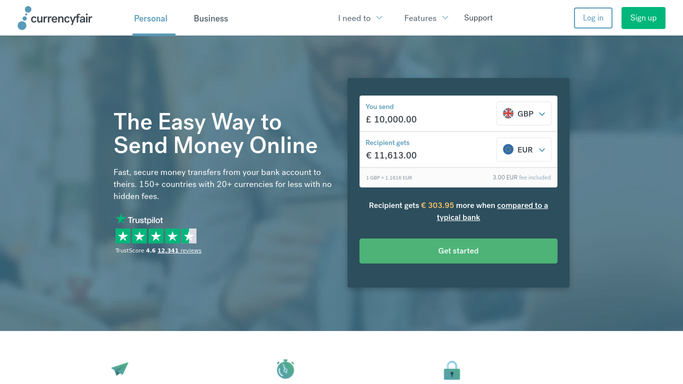
WebRun opens CurrencyFair to check the current exchange rate. - Open CurrencyFair and check the current market rate for your currency pair
- Compare it against the target rate you set
- Note the marketplace rate and the peer to peer rate available
Done when Today's rate is checked against your target.
-
2
Airtable - log the rate check
airtable.com How to Automate Airtable

WebRun logs the rate check to Airtable. - Add today's rate check to the running Rate Watch base
- Mark whether the target was reached
Done when Today's rate is logged whether or not the target was reached.
-
3
Notion - post a target rate alert
notion.so How to Automate Notion

WebRun posts a target rate alert in Notion. - Update the target rate alert page if the rate reached or beat your target
- Leave the page unchanged on a day the target is not met
Done when Notion shows an alert only on a day the target rate is reached.
How is each run configured?
Secure by default
Connect once, stays signed in
WebRun signs in once and keeps each session in a persistent environment, so every run picks up right where it left off.
Every action is checked against this policy before it runs.
Questions, answered
How often is the rate checked?
Every morning. Every check is logged to Airtable, whether or not it hits your target, so you can see the trend even on days nothing happens.
Will WebRun execute a trade when the target rate is hit?
No. WebRun only checks the rate and reports on it. It never executes a trade, transfers funds, or moves money. Placing the trade in CurrencyFair is always your decision.
What if the rate never reaches my target?
The Airtable log still builds a history of the rate over time, so you can decide whether to adjust your target based on what has actually been achievable.
Related templates
Put this on autopilot.
Turn it on in minutes - or have our team set it up for you.