Compare walk-in and member session usage
Every Monday, WebRun opens HelmBot, counts last week's sessions split between walk-ins and members, logs the totals and the member share of revenue to a Google Sheet, and posts a Slack summary so you know whether membership sales are keeping pace with walk-in traffic.
- No credit card
- Under $0.01 per run
- Cancel anytime
How do I compare walk-in and member usage at my cryotherapy studio?
WebRun opens HelmBot every Monday, counts last week's completed sessions split between walk-ins and active members, and logs the totals and each group's revenue to a Google Sheet. It posts a Slack summary of the split and the member percentage, flagging any notable week over week shift, so you can see whether membership sales are keeping pace with walk-in traffic.
- See whether membership sales are keeping pace with walk-in traffic
- A dropping member share is flagged the same week it happens
- Multi-location studios get a per-site and combined breakdown
Built for cryotherapy studio owners · membership sales teams · multi-location cryo studios · studio managers
What does WebRun do on every run?
The exact actions WebRun takes, in order - in plain language, so you can adjust anything.
-
WebRun signs in and gets to work
Opens
app.helmbot.comin a real browser with your saved login - no setup, no API keys. -
1
HelmBot - count sessions by walk-in and member
helmbot.com How to Automate HelmBot
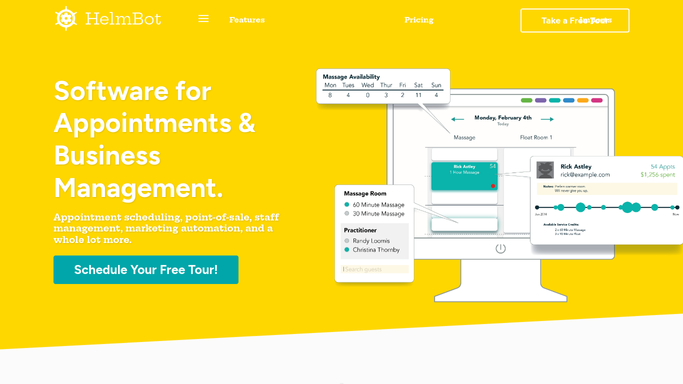
WebRun opens HelmBot to count sessions by walk-in and member. - Open HelmBot and pull last week's completed sessions
- Split the count between walk-in and active member bookings
- Total the revenue contributed by each group
Done when Last week's sessions are split into walk-in and member counts with revenue for each.
-
2
Google Sheets - log the weekly utilization split
google.com How to Automate Google Sheets

WebRun opens Google Sheets to log the weekly utilization split. - Open the Utilization tracker sheet
- Append a new row for the week with walk-in count, member count, and each group's revenue share
- Calculate the member share as a percentage of total sessions
Done when The tracker sheet has this week's split logged alongside prior weeks for comparison.
-
3
Slack - post the utilization summary
slack.com How to Automate Slack

WebRun opens Slack to post the utilization summary. - Post the week's walk-in versus member split and the member percentage of total sessions
- Flag if the member percentage dropped more than 5 points versus the prior week
Done when The owner channel has this week's utilization summary with the week over week change.
How is each run configured?
Secure by default
Connect once, stays signed in
WebRun signs in once and keeps each session in a persistent environment, so every run picks up right where it left off.
Every action is checked against this policy before it runs.
Questions, answered
Why track walk-in versus member usage?
It shows whether membership sales are keeping pace with walk-in traffic, a rising walk-in share with flat membership numbers usually means it is time to push conversion at the front desk.
Does it count no-shows or canceled sessions?
No. Only sessions marked completed in HelmBot are counted, so no-shows and cancellations do not skew the split.
Can it report across more than one studio location?
Yes. Point it at multiple HelmBot locations and the Slack summary breaks out the walk-in versus member split for each one alongside the combined total.
Related templates
Put this on autopilot.
Turn it on in minutes - or have our team set it up for you.