Draft a check-in for every corporate partner
Every Monday, WebRun opens HelmBot, reviews how many employees each corporate wellness partner has used this month, checks QuickBooks Online for their invoice and payment status, and drafts a check-in email in Gmail for your account manager to personalize and send to any partner due for outreach.
- No credit card
- Under $0.01 per run
- Cancel anytime
How do I keep in touch with corporate wellness partners?
WebRun opens HelmBot every Monday, reviews each corporate wellness partner's employee usage, and checks QuickBooks Online for their invoice and payment status. It drafts a check-in email in Gmail naming the usage and flagging any overdue balance, so your account manager reviews and personalizes it before reaching out to a partner due for attention.
- No corporate partner goes 30 days without a check-in
- Overdue invoices surface inside the same draft, not a separate chase
- Every check-in reads personal because it names real usage
Built for cryotherapy studio owners · account managers · corporate wellness program partners · multi-location cryo studios
What does WebRun do on every run?
The exact actions WebRun takes, in order - in plain language, so you can adjust anything.
-
WebRun signs in and gets to work
Opens
app.helmbot.comin a real browser with your saved login - no setup, no API keys. -
1
HelmBot - review corporate partner usage
helmbot.com How to Automate HelmBot
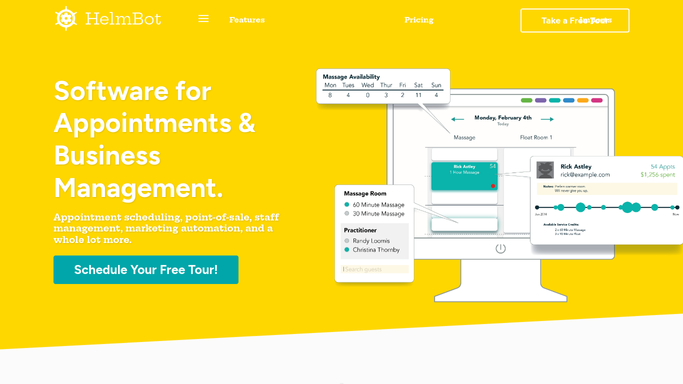
WebRun opens HelmBot to review corporate partner usage. - Open HelmBot and pull employee visit counts for each corporate partnership
- Note which partners have not had a check-in logged in the last 30 days
- Capture the partner's plan terms and included employee visit allowance
Done when Every corporate partner due for a check-in is listed with this month's usage.
-
2
QuickBooks Online - confirm invoice and payment status
- Look up each due partner's latest invoice and payment status
- Flag any invoice that is overdue or a payment that failed
Done when Every due partner has a confirmed invoice and payment status.
-
3
Gmail - draft the partner check-in
gmail.com How to Automate Gmail

WebRun opens Gmail to draft the partner check-in. - Draft a check-in email naming the partner's employee usage this month
- For an overdue invoice, add a polite note about the outstanding balance
- Save each check-in as a draft, do not send any of them automatically
Done when A reviewed, unsent check-in draft exists in Gmail for every partner due for outreach.
How is each run configured?
Secure by default
Connect once, stays signed in
WebRun signs in once and keeps each session in a persistent environment, so every run picks up right where it left off.
Every action is checked against this policy before it runs.
Questions, answered
Will corporate partners get an email automatically?
No. WebRun drafts a check-in email per partner in Gmail and leaves it for your account manager to personalize and send, nothing goes out unattended.
What counts as a partner being due for a check-in?
By default, no logged check-in in the last 30 days. The window can be adjusted in your run settings to match how often you like to touch base.
Does it chase the partner for an overdue invoice?
It flags an overdue invoice from QuickBooks Online inside the draft so your account manager can raise it personally, WebRun never sends a payment demand on its own.
Related templates
Put this on autopilot.
Turn it on in minutes - or have our team set it up for you.